
-
Running the software for the first time an activation is required. The activation is done on-line.
An internet connection is required.
-
Connect the device in internet.
-
Start the X-PAD application.
-
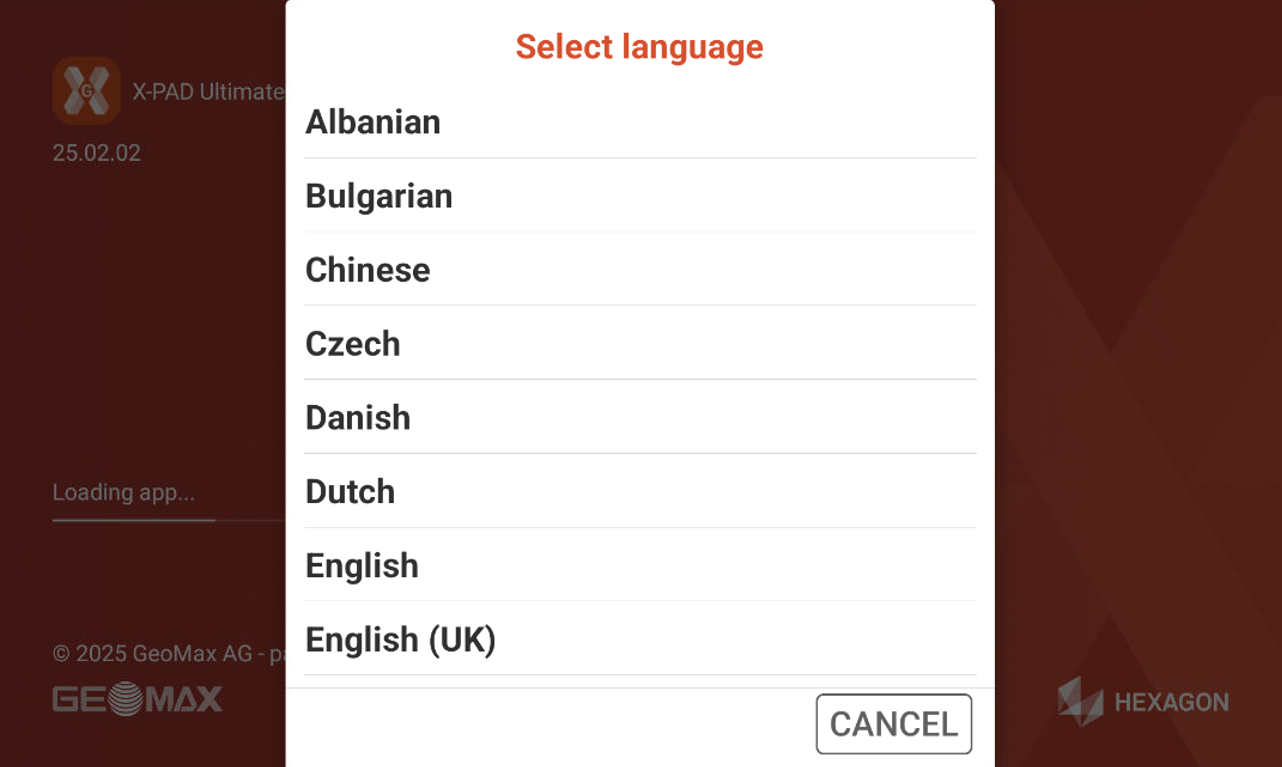
Select the software language.
-
Read and accept the license agreement.
-
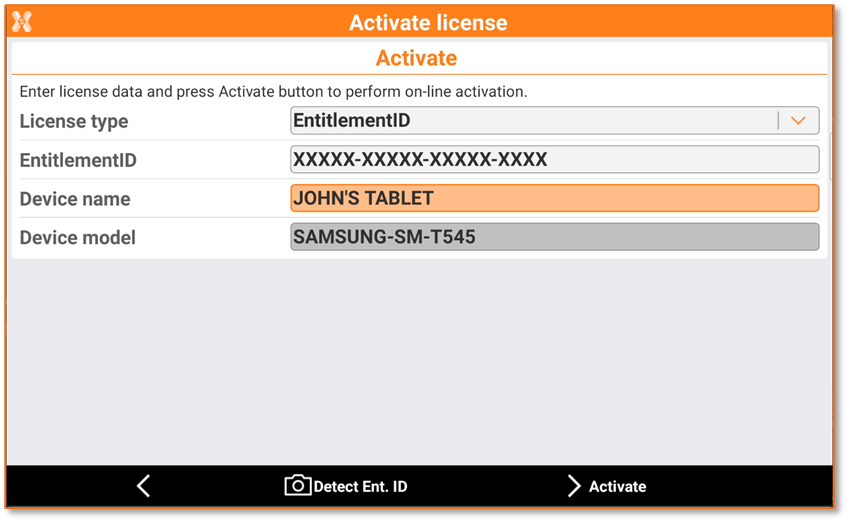
Enter the license information.
-
License type: select the license type if Entitlement ID or Equipment ID. The Equipment ID is the old version of license, new licenses are all in the new Entitlement ID format.
-
Entitlement ID: enter the license number. In case the License type is Equipment ID enter the Equipment ID and the Serial.
-
Device name: enter the name of the tablet. This name is then reported in X-PAD 365 Assets Manager together with the other controller information.
-
To activate the license you need an Entitlement ID. An Entitlement ID consists of the 25 alphanumeric characters separated by dashes, for example:
00100-12345-12345-12345-A123B
You can click Detect Ent ID to use the camera to scan the Entitlement ID on the license paper.
-
Click Activate to activate the license.
-
If license is activated, the software restarts and it is ready to be used.