


-
The Report function allows to generate a complete report from the selected job.
It is possible to define the header and logo in the Report settings.
It is available a CAD report where to export a report of the measured entities accessible in CAD.
-
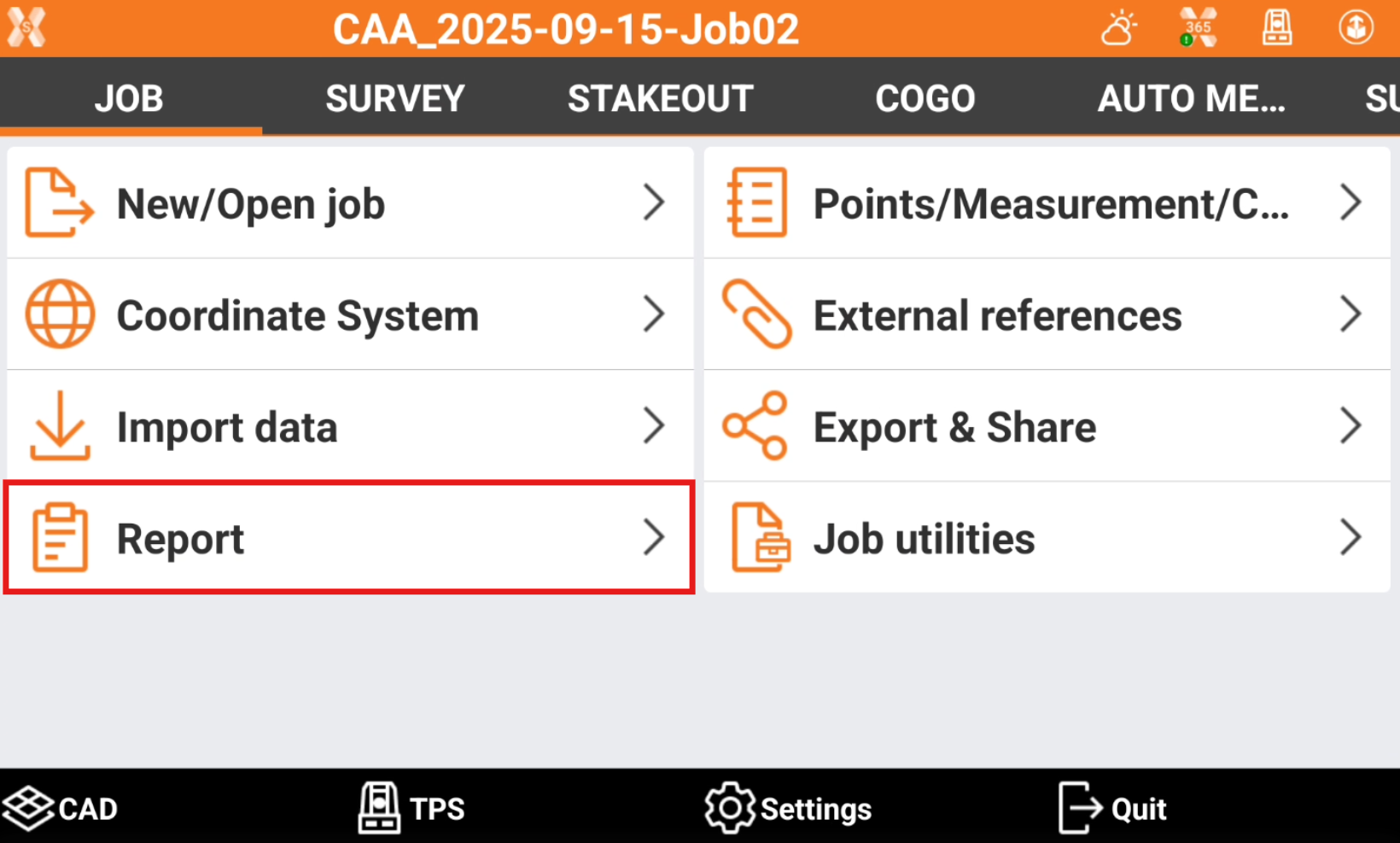
Click Job.
-
Click Report.
-
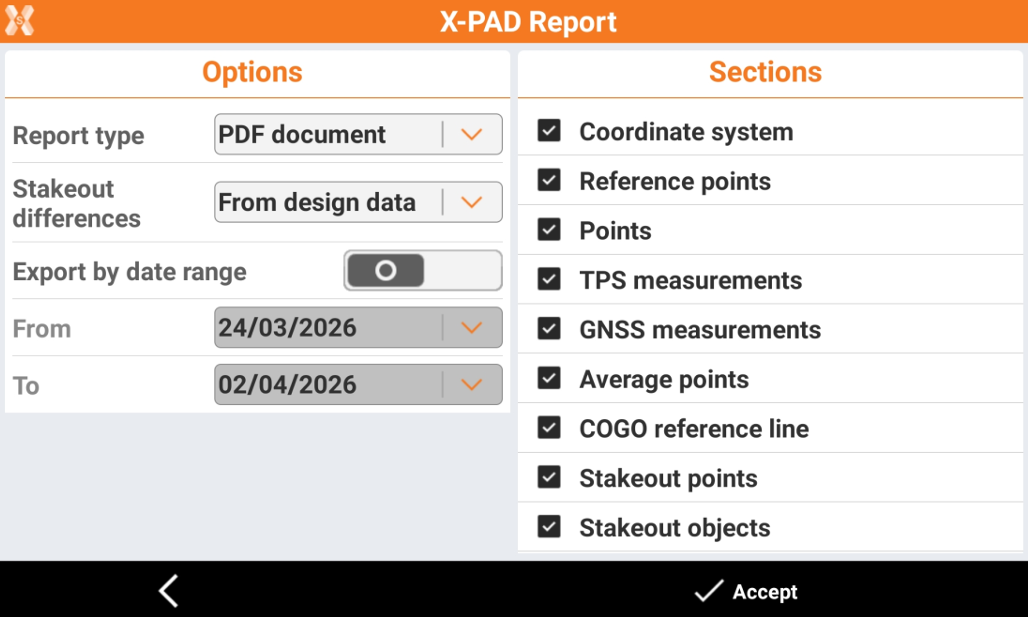
On the left panel select the report options.
-
Report Type: to select the type of report.
-
ASCII format: the report is exported as ASCII text file.
-
Excel CSV: the report is exported as formatted CSV file for Excel.
-
Excel XML: the report is exported as formatted XML for Excel.
-
PDF document: the report is exported as PDF file.
-
HTML format: the report is exported in HTML format.
-
-
Stakeout differences: allows to select how to specify the differences in stakeout.
-
From design data: the difference is from the design data.
-
To design data: the difference is to the design data.
-
-
Export by date range: allows to select to export measurements only in a specific date range.
-
-
On the right panel select the sections to export.
-
Coordinate system: the information regarding the selected coordinate system are exported in the report.
-
Points: the report includes the list of topographic points.
-
Reference points: the report includes the list of reference points.
-
TPS measurements: the report includes measurements done with total station. This includes offset measurements.
-
GNSS measurements: the report includes measurements done with GNSS receiver. This includes offset measurements.
-
Average points: exports points that has been averaged.
-
COGO reference line: exports in the report the measurements done with Reference line application.
-
Stakeout points: exports in the report the stakeout report for the measurements done with Stakeout point function.
-
Stakeout objects: exports in the report the stakeout report for the measurements done with Stakeout objects function.
-
Stakeout station & offset: exports in the report the stakeout report for the measurements done with Stakeout station & offset function.
-
Stakeout sideslopes: exports in the report the stakeout report for the measurements done with Stakeout sideslopes function.
-
Stakeout surfaces: exports in the report the stakeout report for the measurements done with Stakeout surfaces function.
-
Stakeout axis: exports in the report the stakeout report for the measurements done in the road module.
-
-
Click Accept to save the report.
-
Select where to save the file.
-
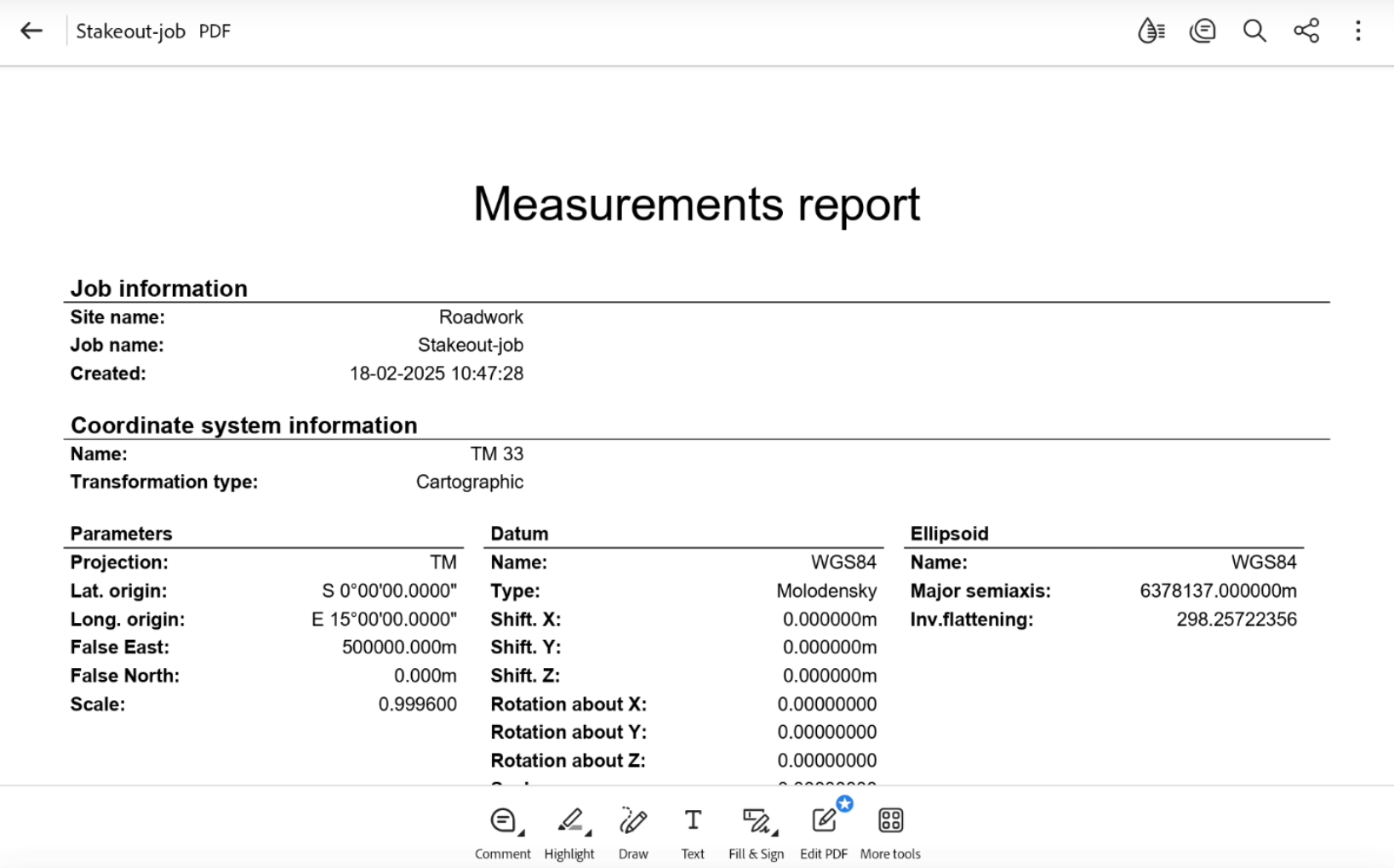
The Measurements report is exported.
|
Video tutorials |
|
|---|---|
How to export a customized job report with information on job configuration, points and measurements. |
|