
-
Asset manager allows to register devices, software or subscriptions in X-PAD 365.
-
This helps to have all product information and documentation at a glance, available in one place.
-
Also you can receive notifications on product status and news, such as software and services expiration, firmware and new software releases.
-
Also allows to access the product resources.
Register a product from X-PAD Ultimate
-
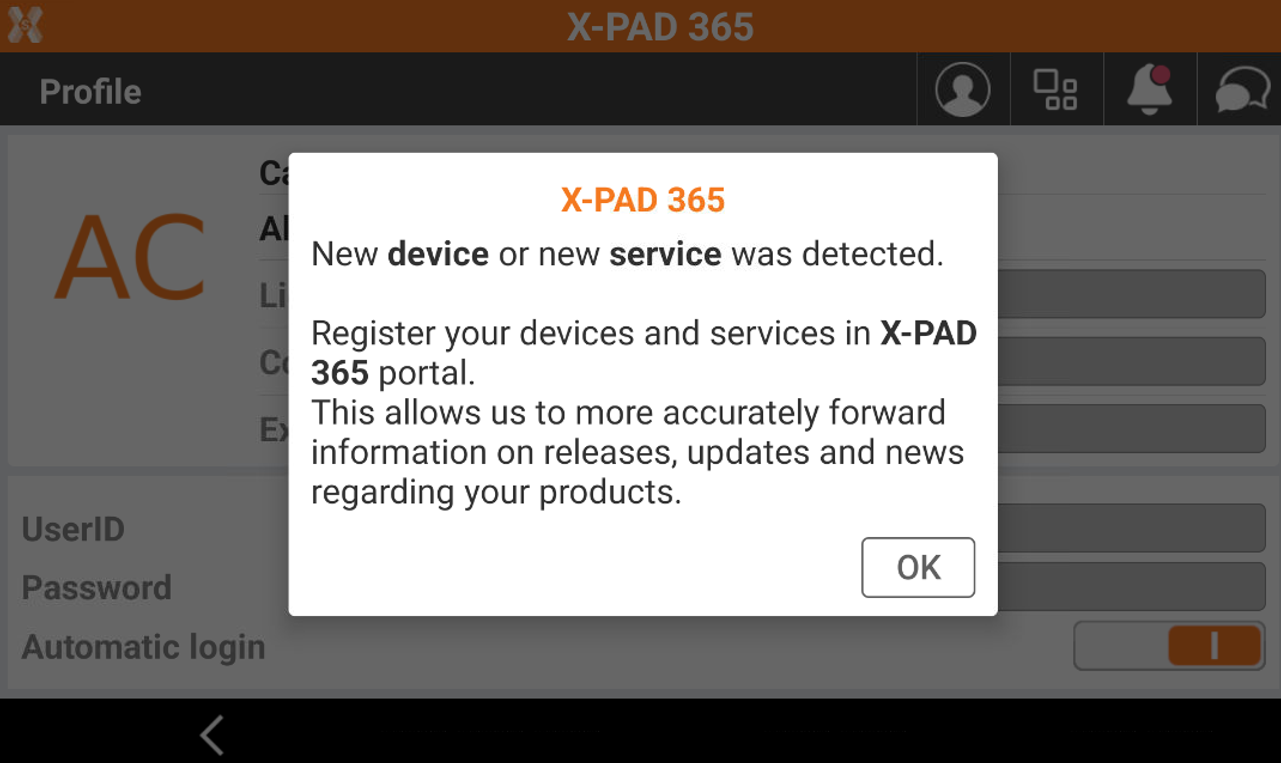
When you open the X- PAD365 workspace in Ultimate, the software automatically recognizes if a product in the profiles is not registered and prompt to register the new assets.
-
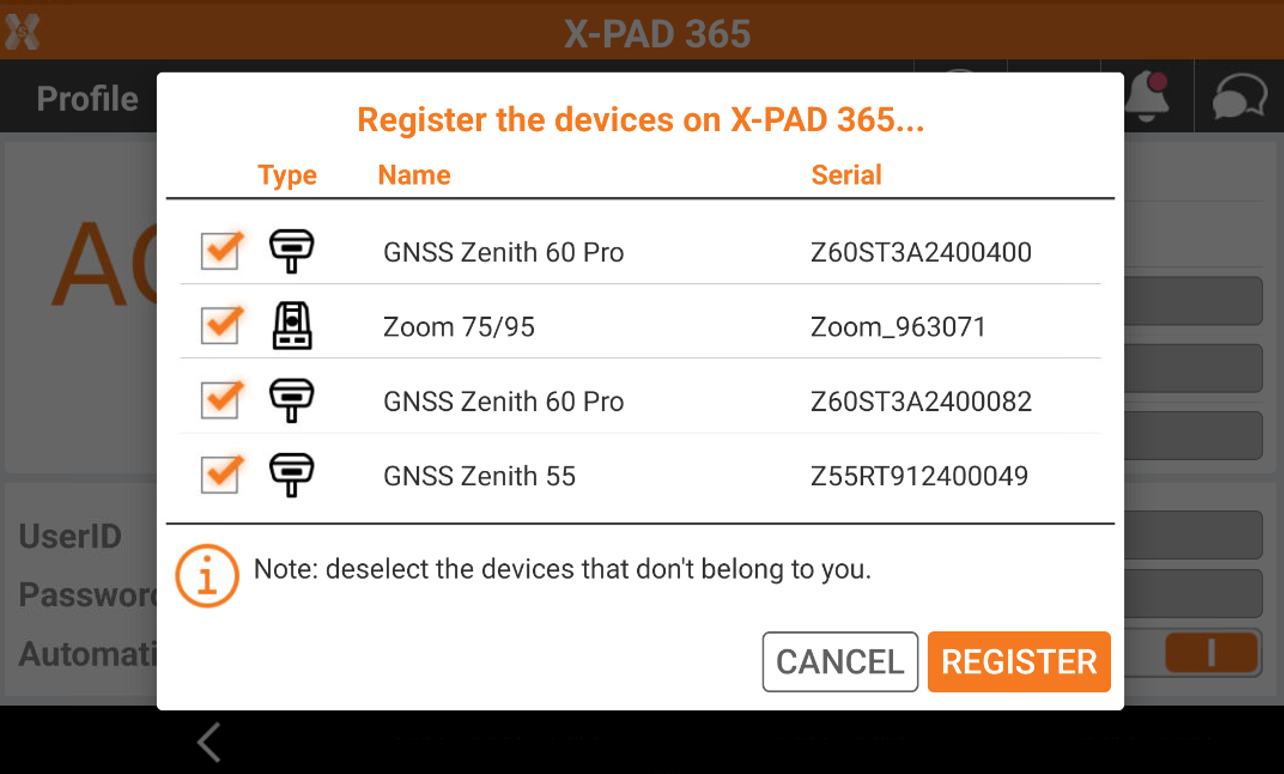
You can select/deselect the products to register. Click Register to register the selected products.
-
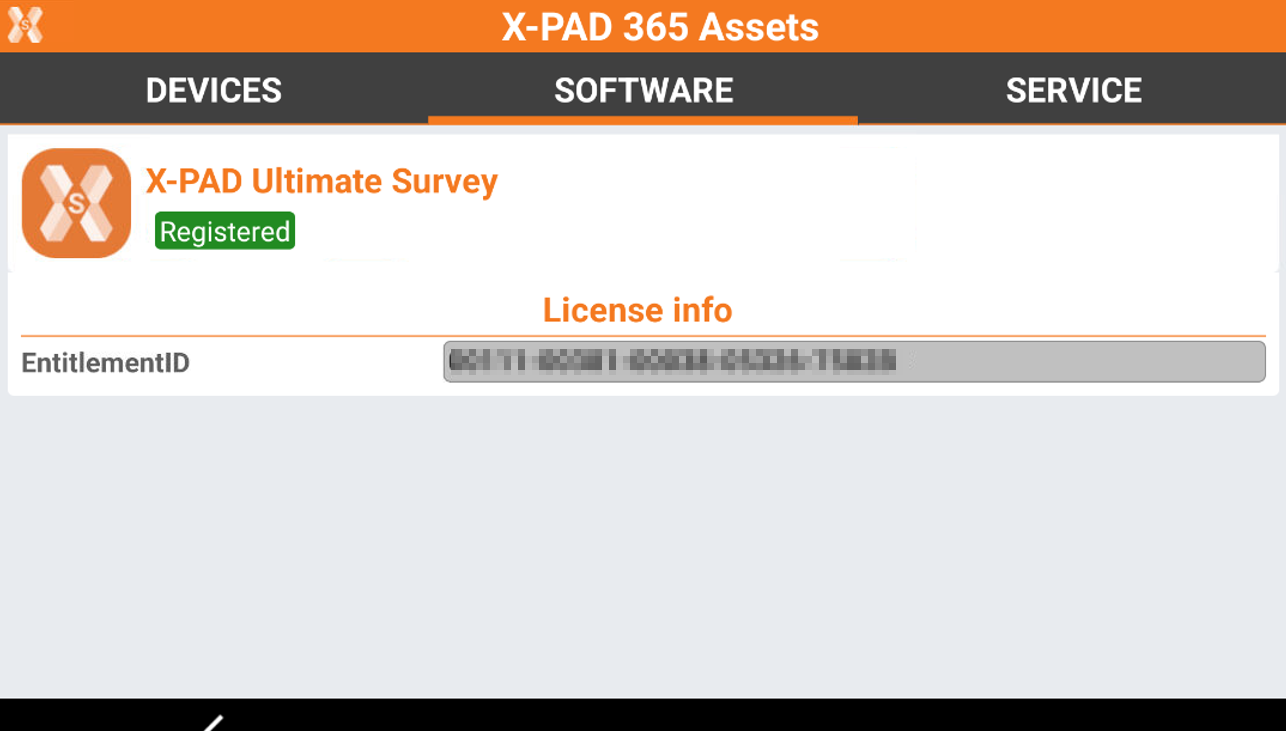
The list of registered products are available from X-PAD365 workspace clicking Assets icon.
-
The pages shows the list of registered devices, software and services.
Assess the asset resources
-
For registered assets it is possible to download specific resources, like firmware and manuals.
-
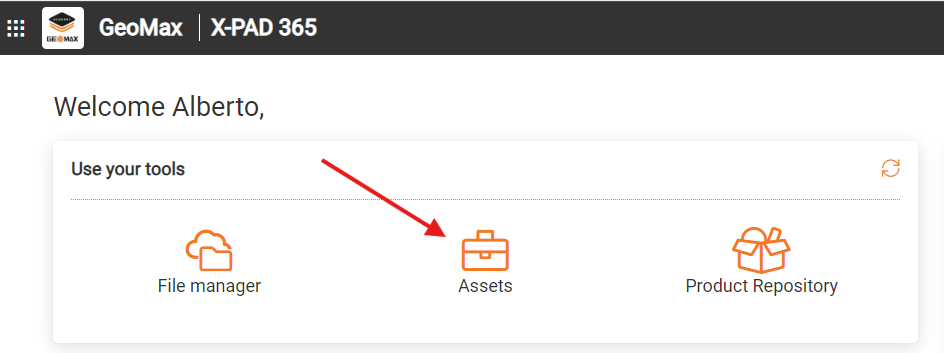
Login in the platform and click Assets.
-
In the next page select the asset: device, software or service.
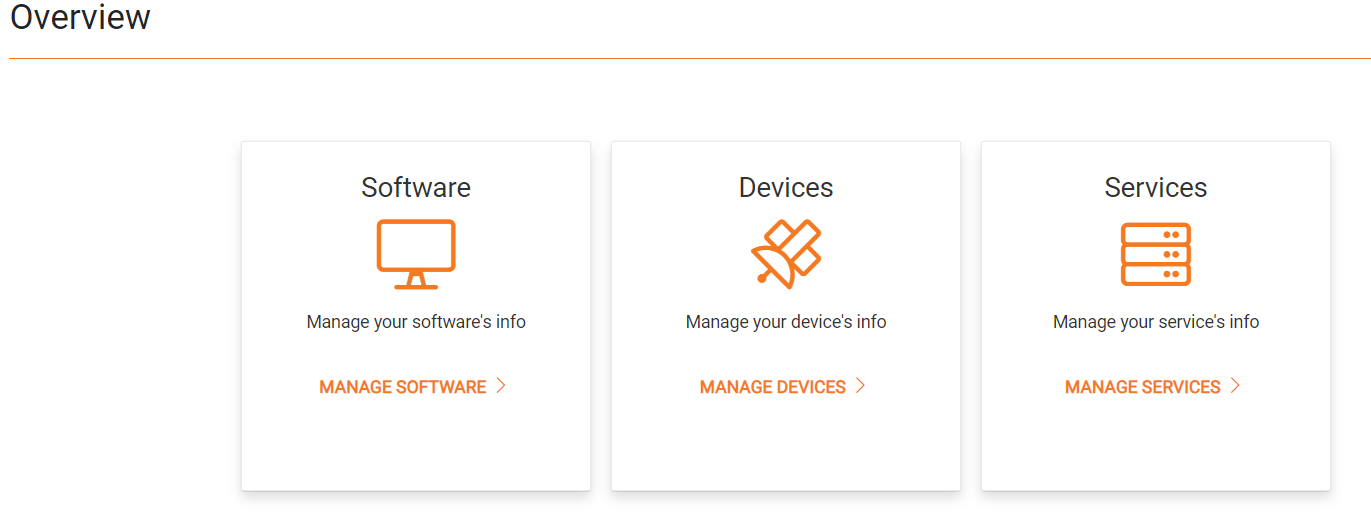
-
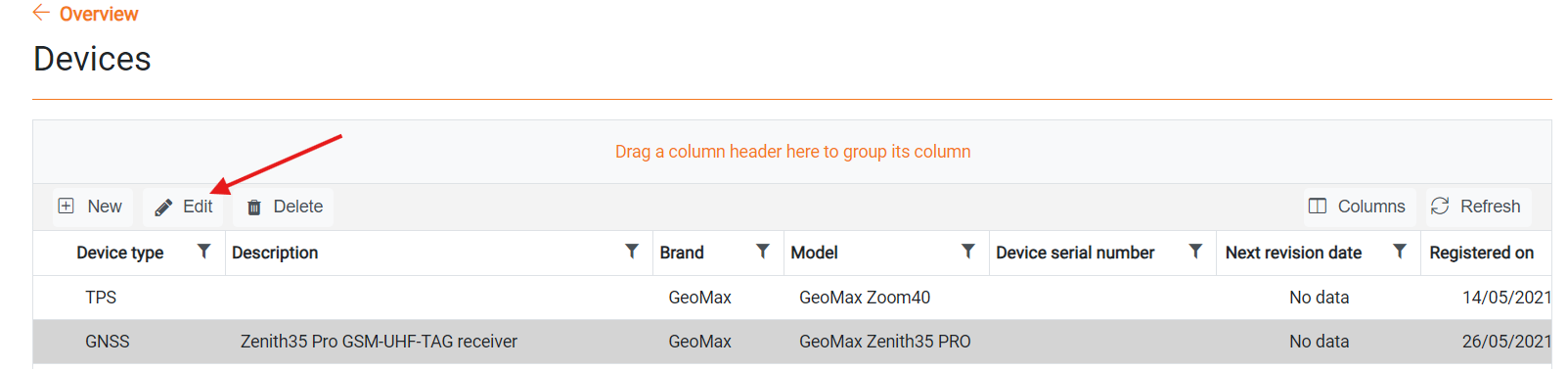
The page shows the list of registered devices.
-
Select the asset and click Edit.
-
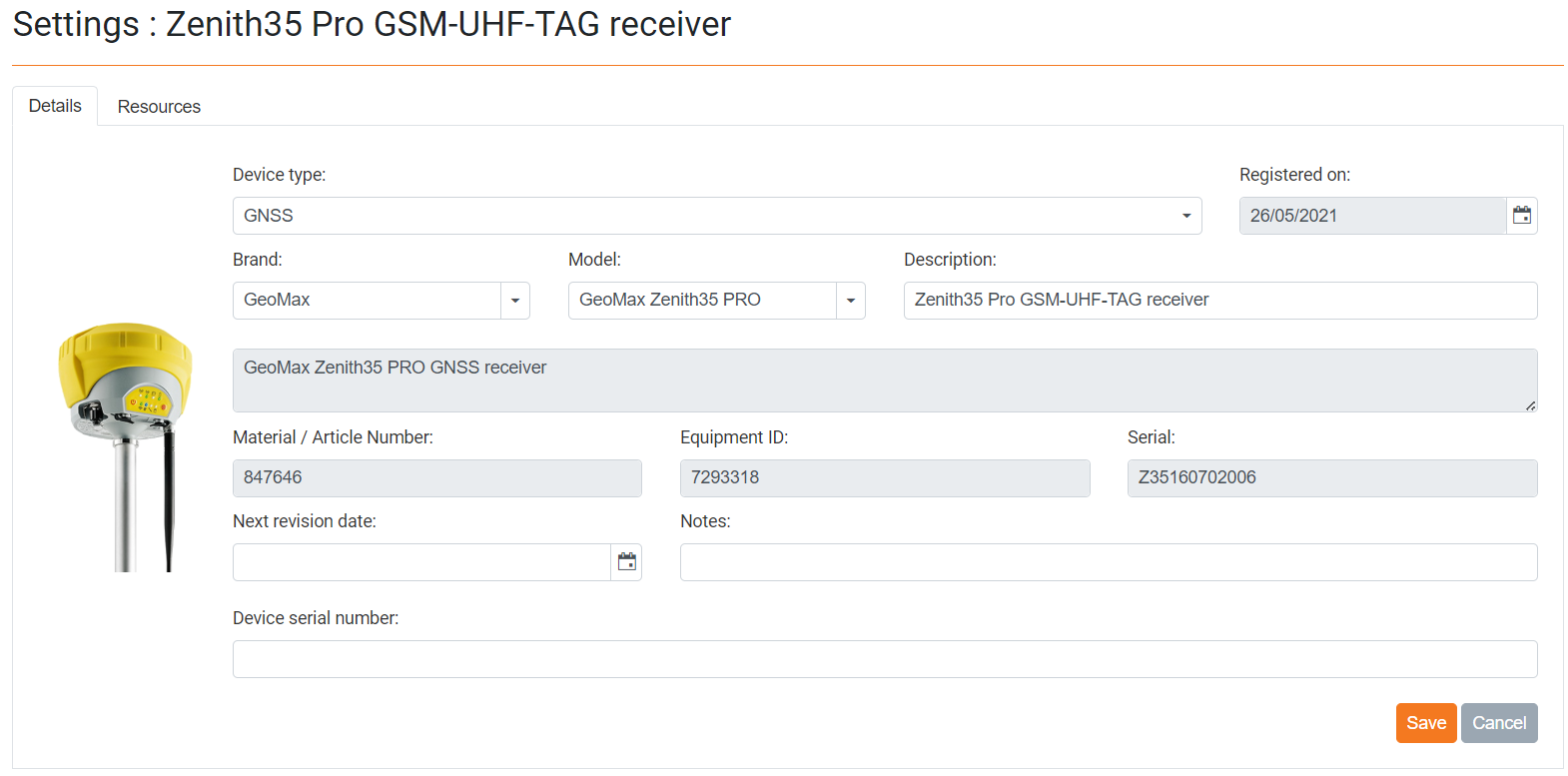
This open a page where more information about the asset are listed.
-
Click Resources to open the asset resources.
-
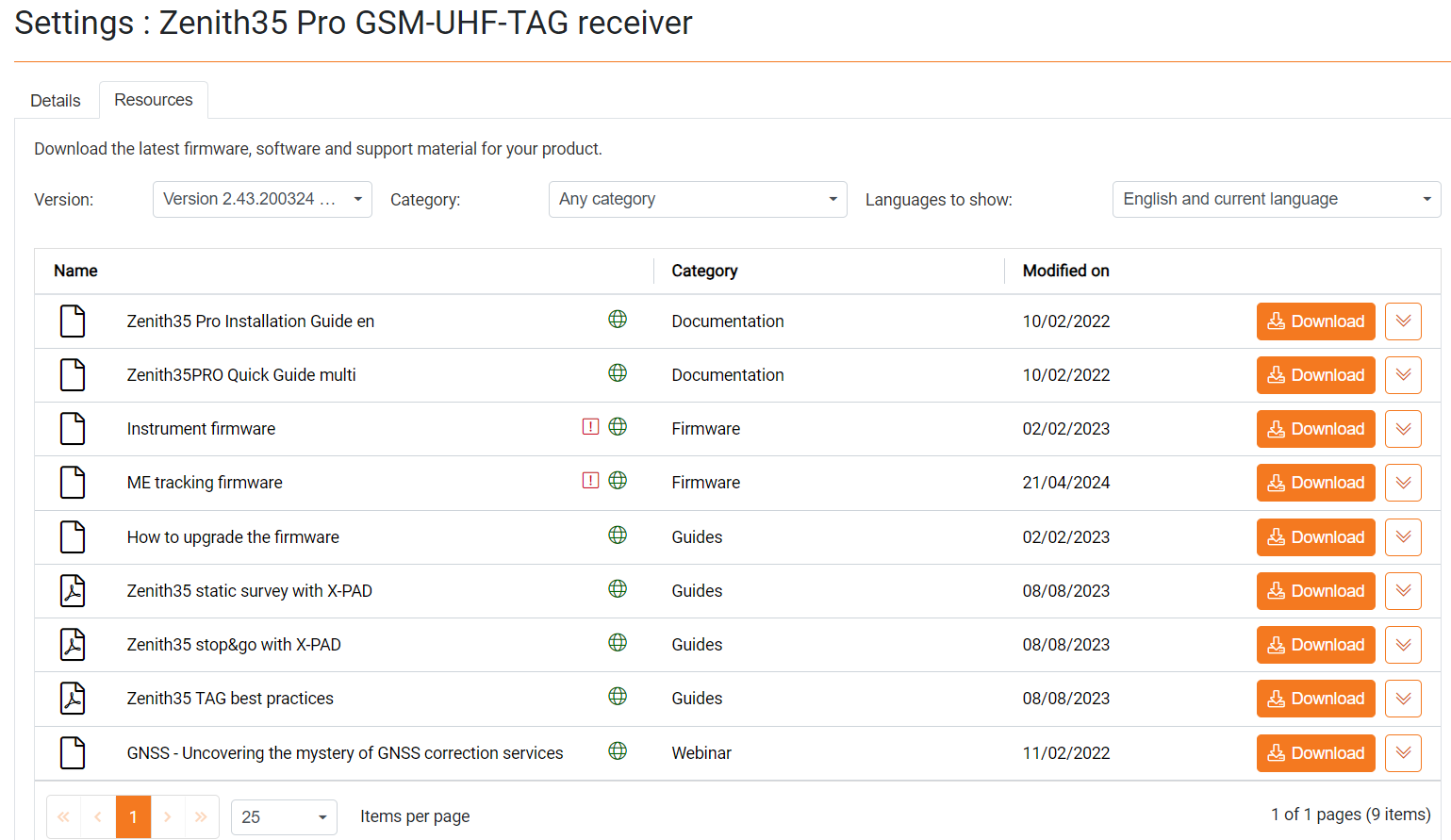
This page shows the list of available resources.
-
Versions: allows to change the firmware/software version, to download older versions.
-
Category: to filter the resources by category.
-
Languages to shows: to filter the resources by language, by default English and current language are listed.
-
-
Select a resource and click Download to save on local disk.