-
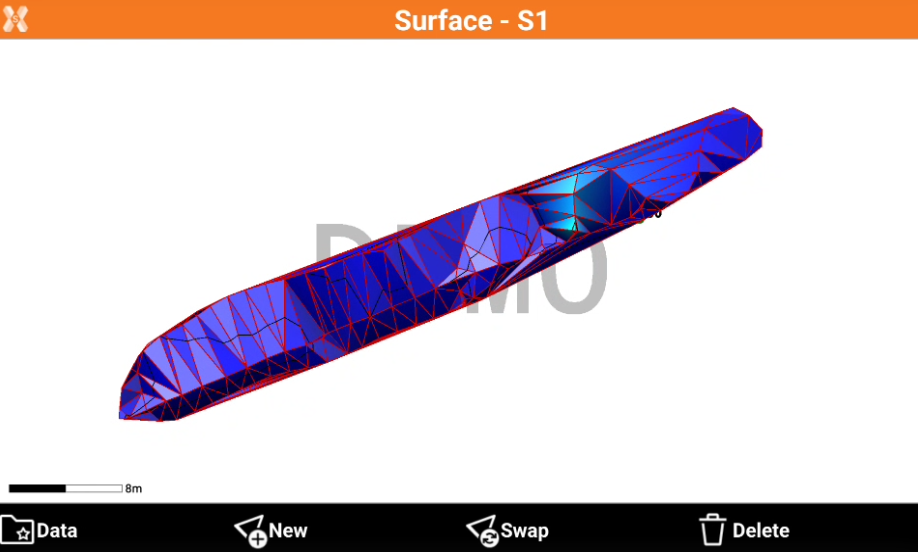
This function creates a three-dimensional triangle surface using the points of bathymetric sessions, performed using the Bathymetry module.
-
Open the Job tab.
-
Click Points/Measurements/Codes.
-
Open the Measurements tab.
-
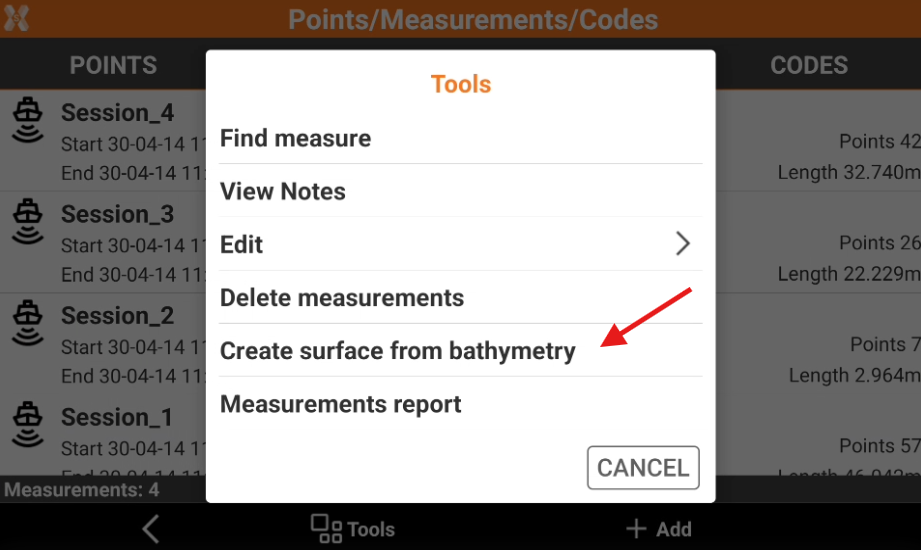
Click Tools to open the list of available tools.
-
Click Create surface from bathymetry.
-
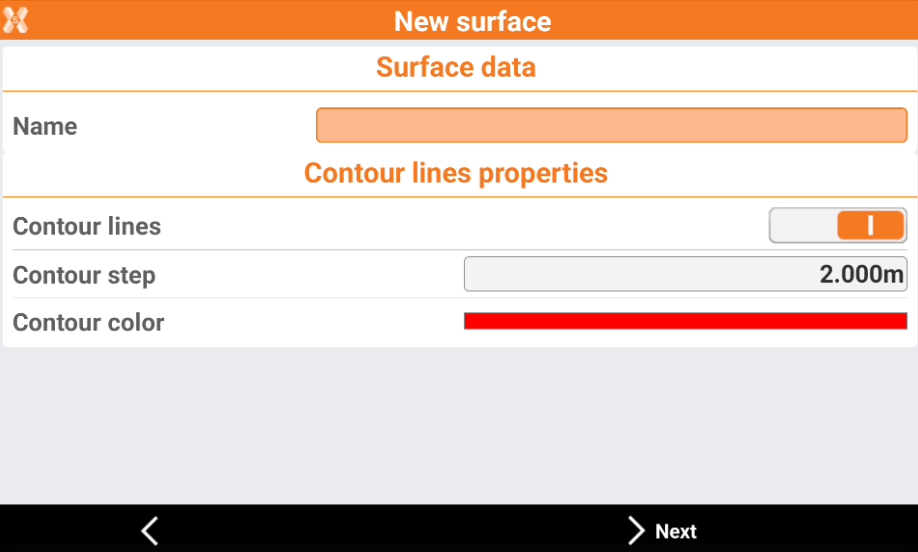
This opens a new page.
-
Name: the name of the surface.
-
Contour lines: enables/disables the creation of contour lines.
-
Contour step: the step between the contour lines.
-
Contour color: the color of the contour lines.
-
-
Click Next.
-
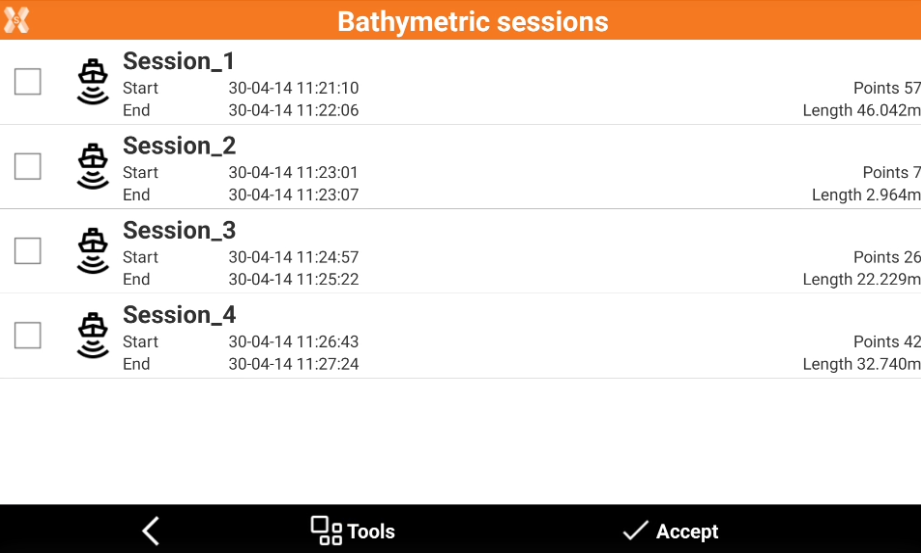
Select the sessions to use.
-
Click Accept to create the surface. The surface is visible in CAD or in the Surfaces page and can be exported from the software.