



-
There are different ways to assign survey codes to a topographic point:
-
Manual insertion of code.
-
Selection from a table of codes.
-
For more information on how to create and manage survey code lists refer to Survey codes.
Manual insertion of code
-
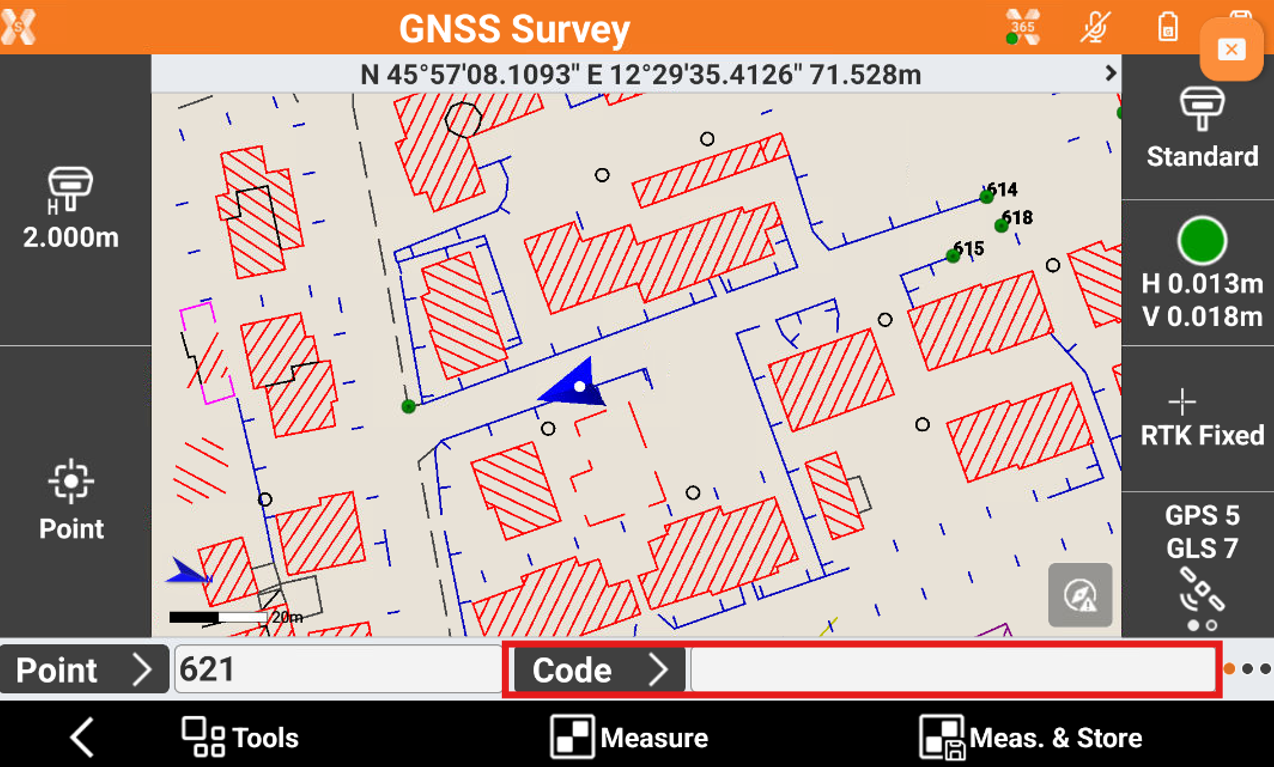
Type code directly in the field Code.
Select a code from the codes list
-
Click Code to open the codes list.

-
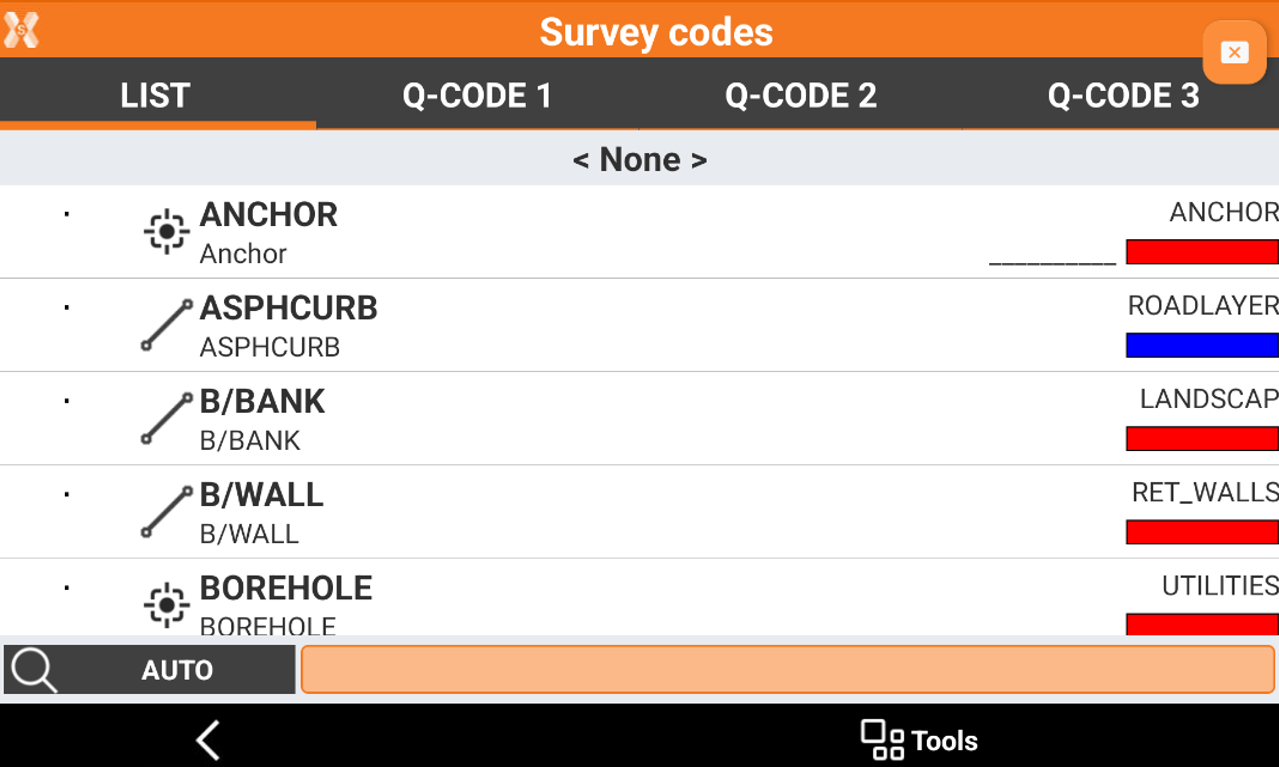
This opens the Survey codes list. On the List page, the survey codes are displayed. Select a code from the list.
-
The input field located in the lower part allows to perform a search among codes.
-
The button on the left allows to specify a search:
-
AUTO: codes and descriptions are considered.
-
CODE: only codes are considered.
-
DESC: only descriptions are considered.
-
-
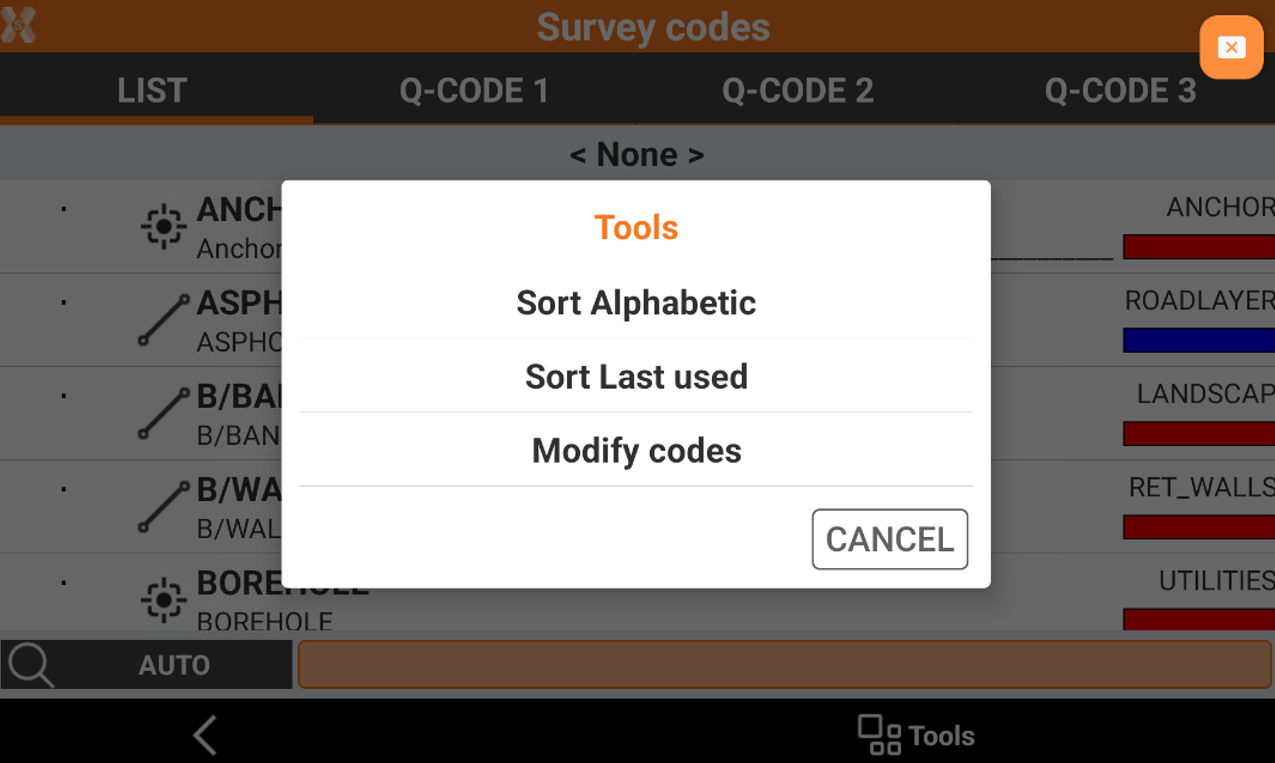
Codes can be listed in alphabetical order or according to use.
-
Click Tools to sort the codes.
Edit a code during surveying
-
Click Code to open the codes list.
-
This opens the Survey codes list.
-
Click Tools and click Modify codes.