


-
Create one or more profiles related to instruments such as Laser Disto, BOSCH GLM series that uses Bluetooth Low Energy system or ADA Instruments COSMO series.
-
X-PAD Ultimate can use the profiles for measuring points not accessible by the GPS receiver.
-
The point to measure is calculated by intersecting two distances from two known GPS positions. The distance measurements are done with a Disto and transferred to the software.
-
Click Settings.
-
Click Laser disto.
-
Click Add to create a new profile.
Profile page
-
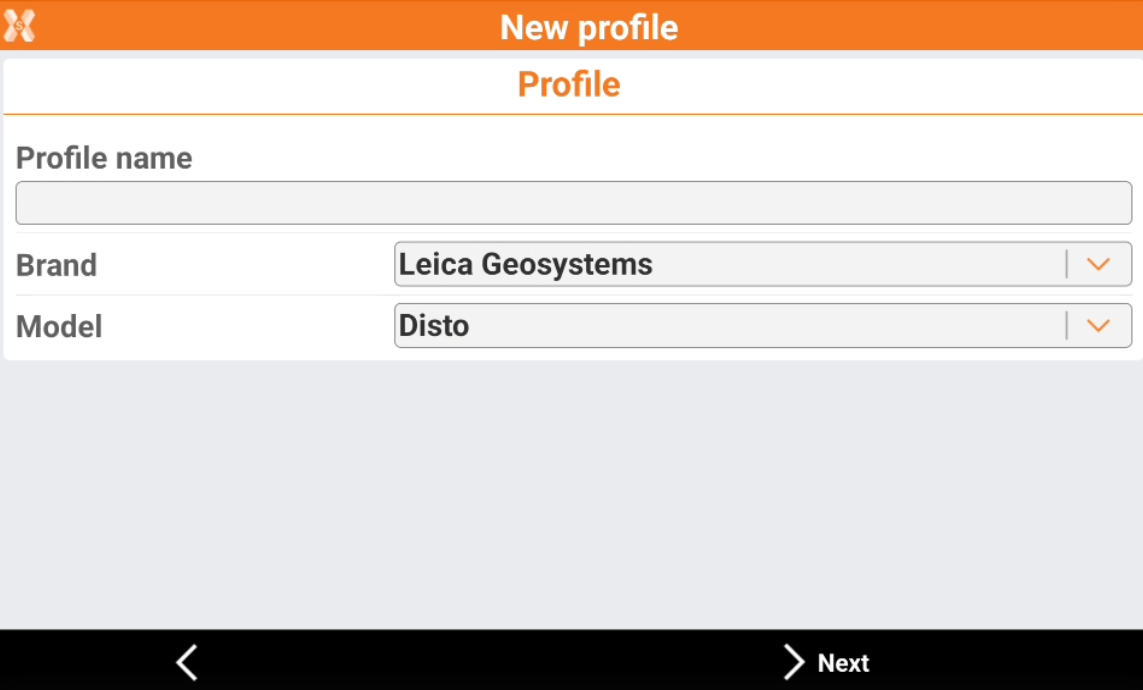
The Profile page allows to enter the information on the profile type and instrument connected.
-
Profile name: name to assign to the profile.
-
Brand: brand of the Laser Disto.
-
Model: model of the Laser Disto.
-
Device page
-
The Device page allows to define how the device is connected to the software and search the device using the bluetooth.
-
Device: name of the Bluetooth to connect.
-
-
To start a search in case the instrument is not in the list, click Add device.
Parameters page
-
The Parameters page allows to define the height from ground of the laser.
-
The elevation from ground is used for calculation of slopes between GPS position and point to measure.
-
Laser height: elevation from ground of the Laser Disto.
-