


-
The Quick codes toolbar allows to to define a list of codes to be used directly in the survey page in a single click
Selecting quick codes
-
To access the Quick codes toolbar scroll the code bar to the left.
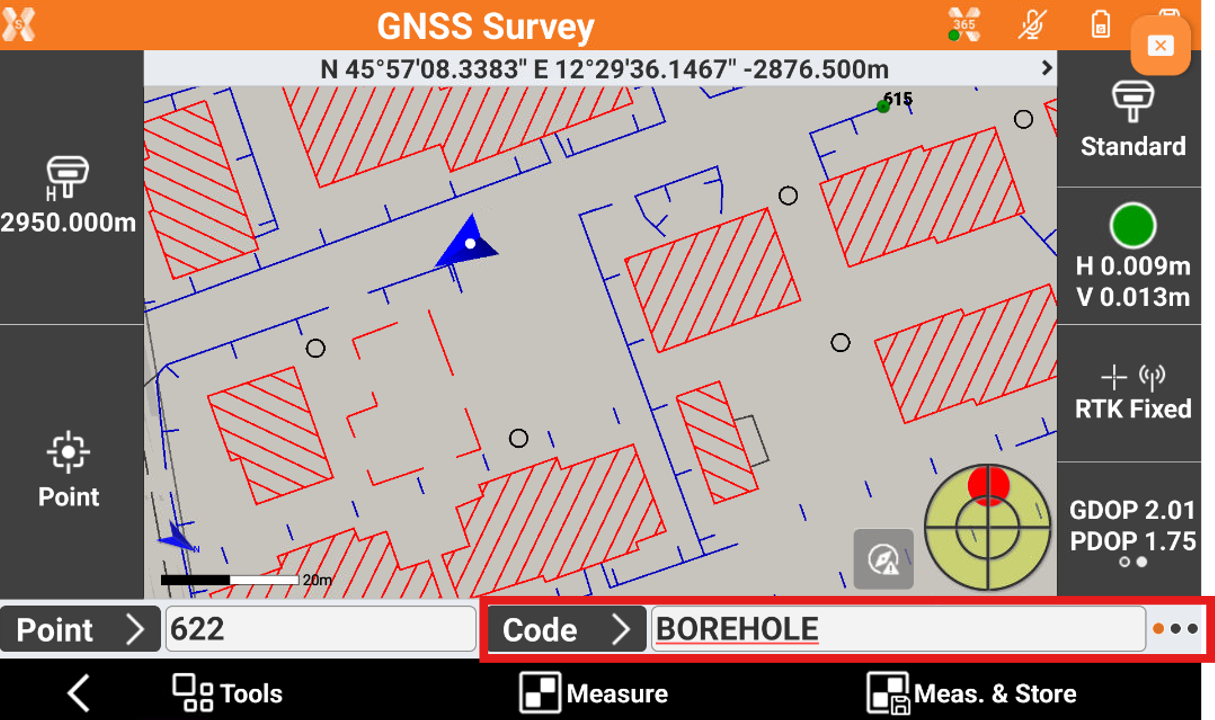
-
The toolbar shows the codes. Select a code to use it in the measurement.
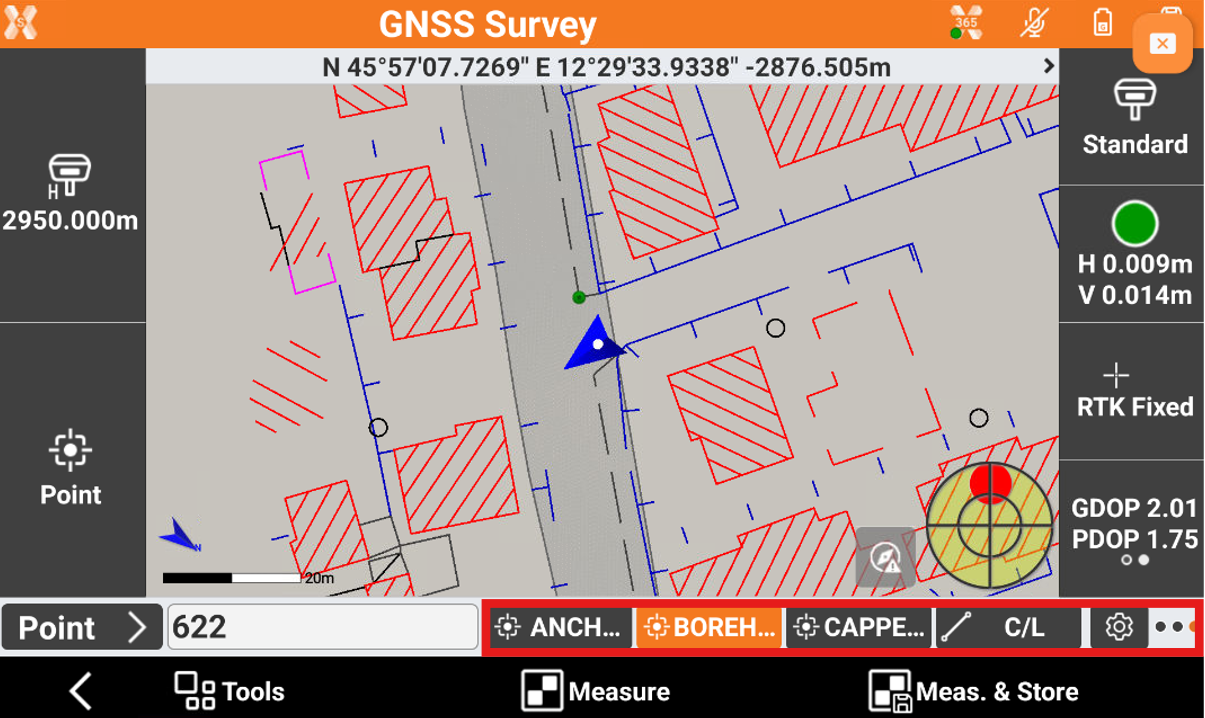
Customize the quick codes
-
The toolbar can show the favorite codes or the last used codes.
-
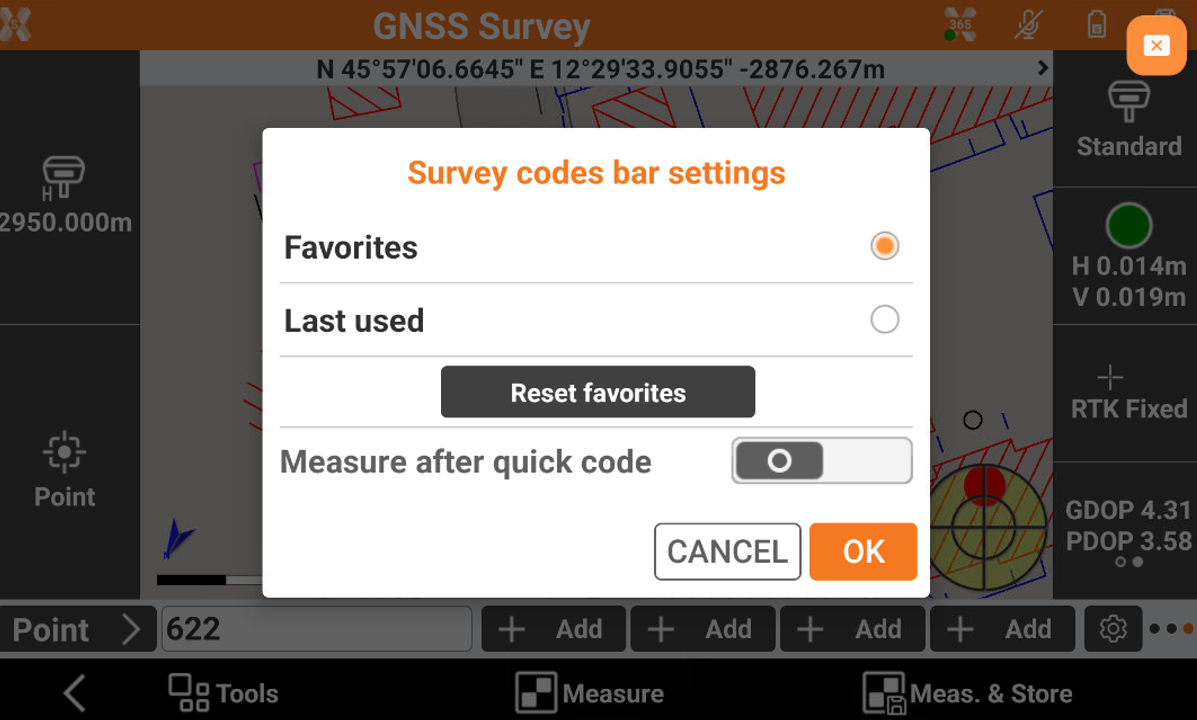
To edit the codes click on Setting icon.
-
Favorites: allows to select customized codes in the toolbar. If Favorites is selected, click Add to add the code for each button.

-
Last used: the buttons shows the last used survey codes.
-
Reset favorites: reset all the favorites quick codes.
-
Measure after quick code: if enables, measure and store the point after the quick code is selected.
-