Description
-
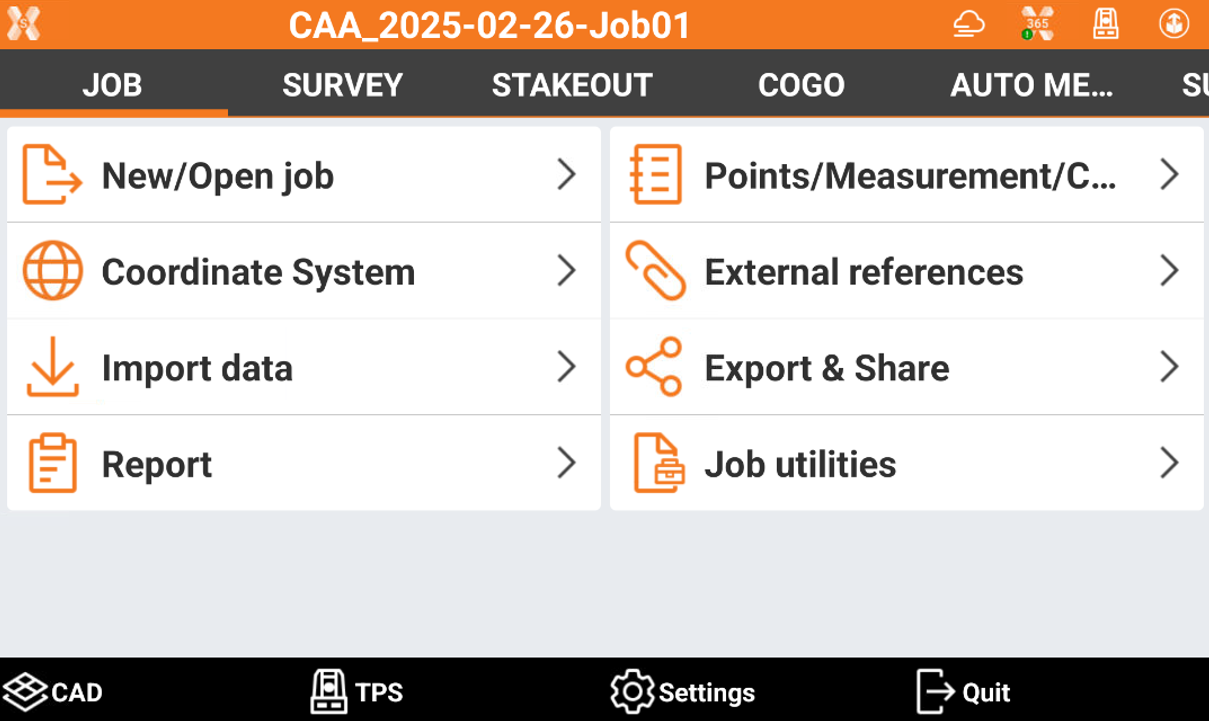
The main window is characterized by the menu that organizes the different commands based on their function.
-
In the lower part of the window are the general purpose commands.
-
CAD

: enters the graphic CAD.
-
TPS
: opens a window to perform simple measures with the total station and to check all measuring settings, in case current instrument is a total station.
-
GNSS
/
: allows to control the general status of connected GNSS receiver, in case current instrument is a GNSS receiver rover or base.
-
Settings
: enters the window that allows to set parameters of the instrument and of the software.
-
Quit
: quits software.
-
Dialog box
-
Dialog boxes are characterized by an upper bar reporting several useful information.

-
X-PAD icon
: opens the info page with general information about software, license, active modules and previously installed versions.
-
job name or screen title: the name of the job is displayed in the main screen. The title of the box is displayed in the dialog box.
-
Update available
: the presence of this icon indicates that an X-PAD update is available. Click the icon to see the new items contained in the update and proceed with download and installation.
-
Weather
: shows the current weather. Clicking the icon opens a window with weather forecast for the next hours and days is shown.
-
X-PAD 365
: shows the status of the connection to X-PAD 365. Clicking the icon opens the X-PAD 365 workspace.
-
Select instrument
/
/
: opens the panel to quickly select a different instrument to connect.
-
GPS battery
: GPS receiver battery level. Clicking the icon opens a window with information about connected receiver.
-
TPS battery
: TPS battery level. Clicking the icon opens a window with information about connected total station.
-
X-Pole
/
: allows you to switch to the other type of instrumentation (GNSS or TPS) when working with the X-Pole module. If you are using the GNSS receiver, you can switch to using the total station and vice versa.
-
Voice command
: enables/disables the use of voice commands during operations.
-
X-PERT status
: shows the status of the X-PERT subscription.
-