

-
To perform a correct auto measuring procedure (manual or automatic), the first step is to measure the control points and points to measure.
Control points
-
Control points are required to recalculate the position of the station in every auto measuring session.
-
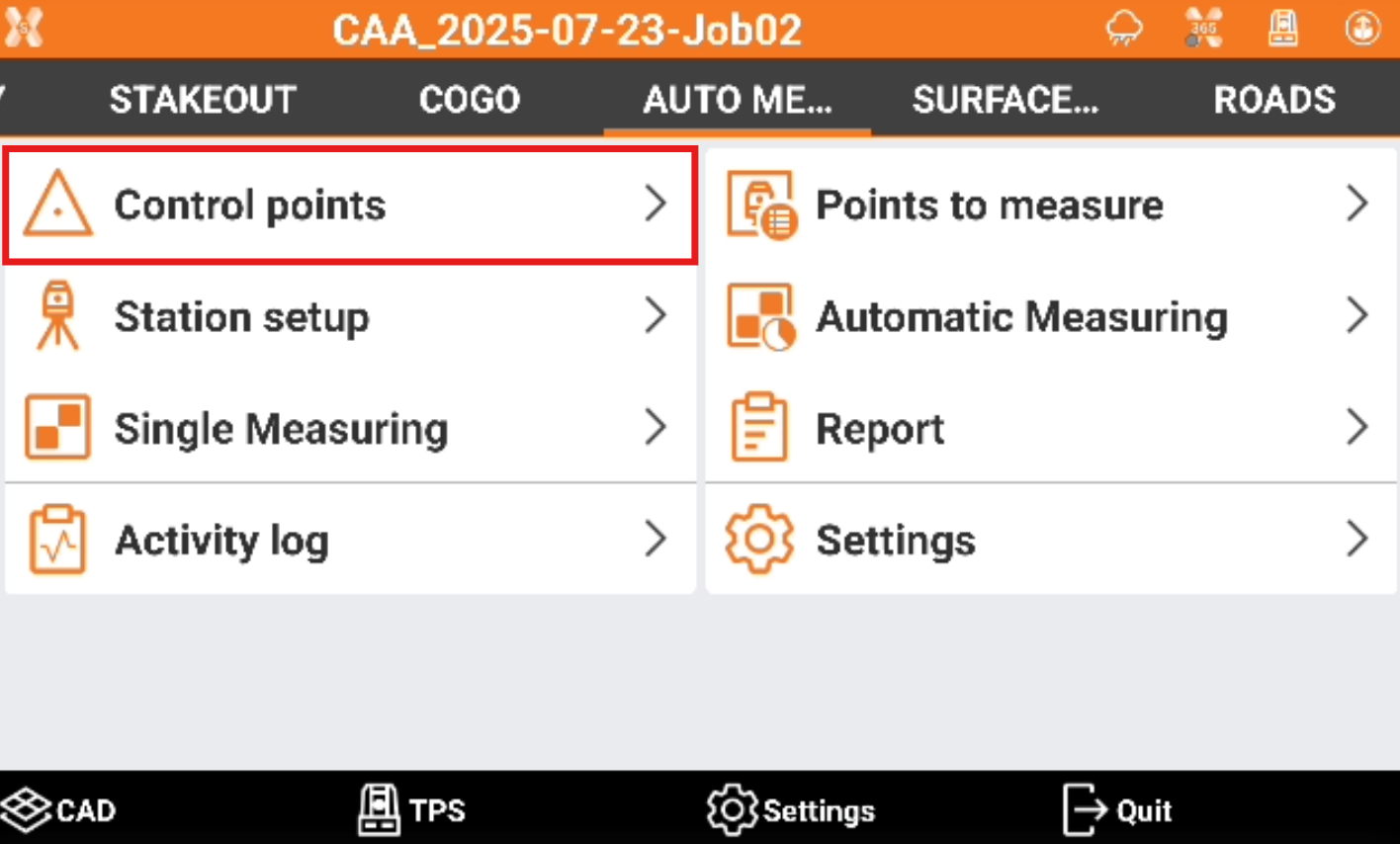
Click Control points.
-
This page allows to add and edit control points. The Reference points available in the job are proposed as control points and can be activated.
-

-

-
-
Click Add to add a new control point.
-
Manual insert: enter manually the coordinate of the control point.
-
Measure: measure a target to be used as control point.
-
-
Click a control point to Edit.
-
For the Edit point pages refer to Edit a point.
-
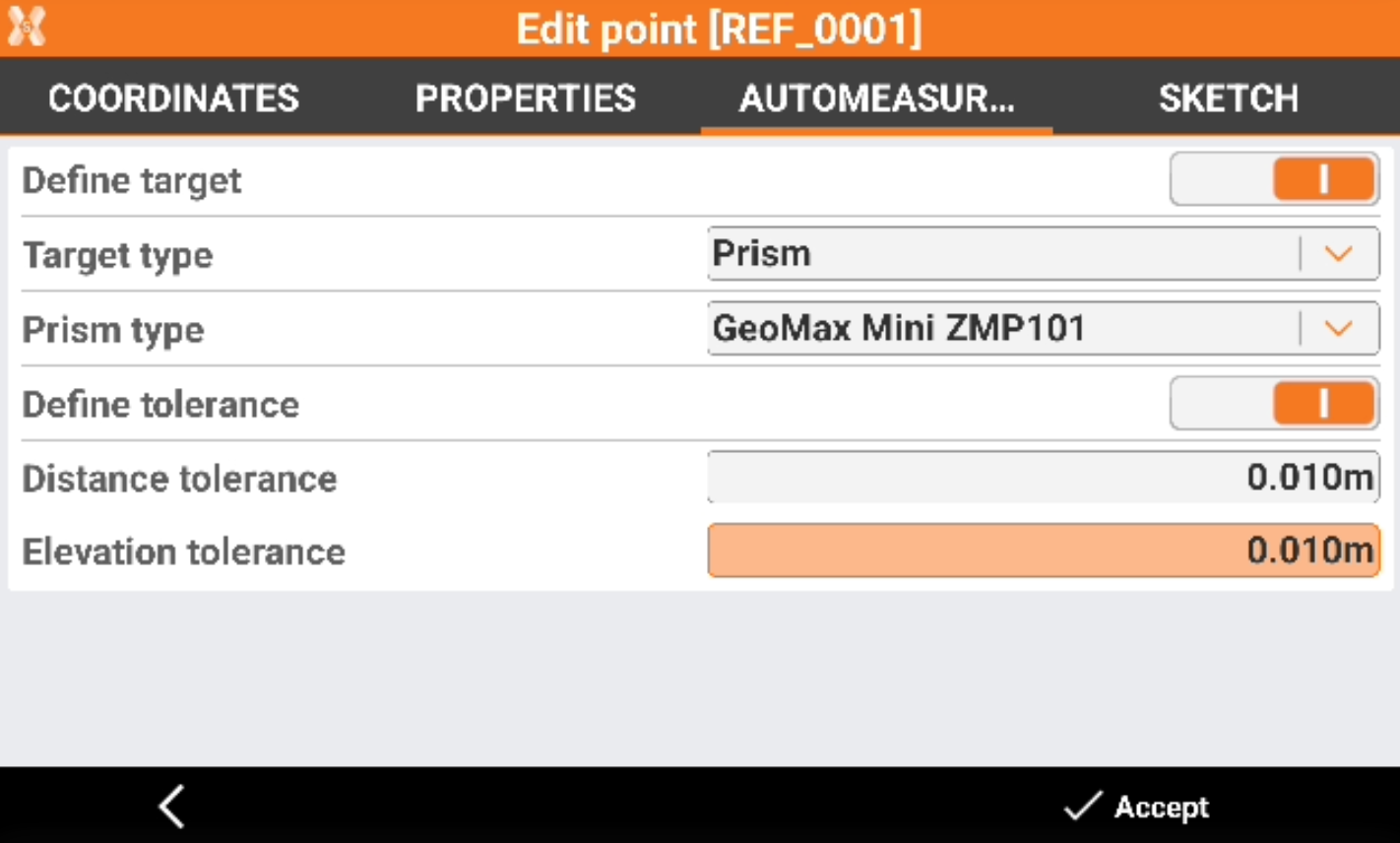
The Automeasuring page allows to define settings for the control point related to Auto Measuring application.
-
Define target: enables the choice of target type for the selected check point.
-
Define tolerance: enables the customization of distance and elevation tolerances for the selected check point.
-
The target definition must be done for all targets in case different types of targets are used in the project.
Points to measure
-
Points to measure are the points that are measured and checked during the session.
-
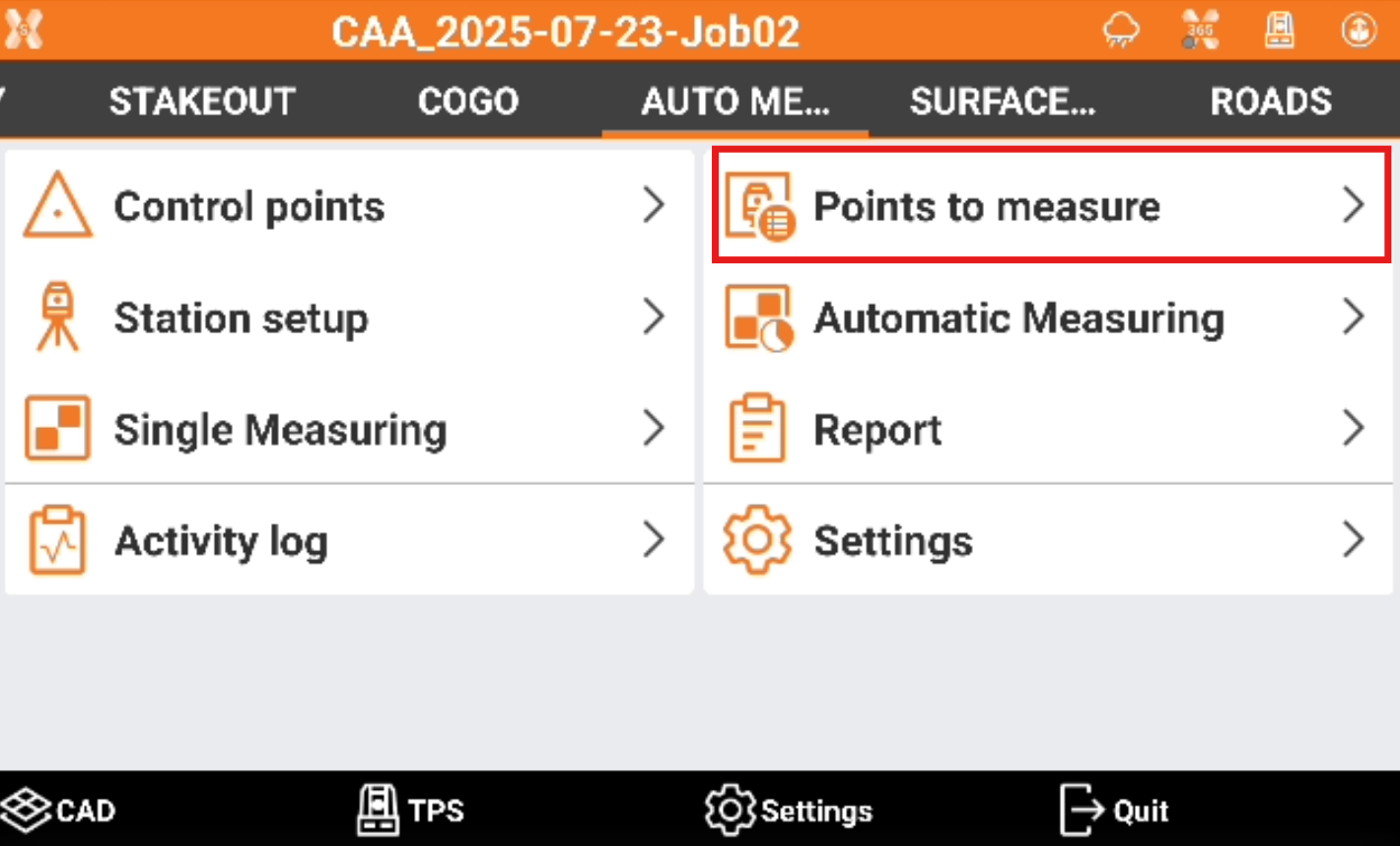
Click Points to measure.
-
This page allows to add and edit the points. The Topographic points available in the job are proposed as points and can be activated.
-
-

-
-
Click Add to measure a target to be used as point.
-
Click a control point to Edit.
-
For the Edit point pages refer to Edit a point.
-
The Automeasuring page allows to define settings for the point related to Auto Measuring application.
-
Define target: enables the choice of target type for the selected point.
-
Define tolerance: enables the customization of distance and elevation tolerances for the selected point.
-
The target definition must be done for all targets in case different types of targets are used in the project.