



-
From the GNSS Status window, it is possible to edit parameters of the receiver operation.
-
Click Tools to open the list of available tools.
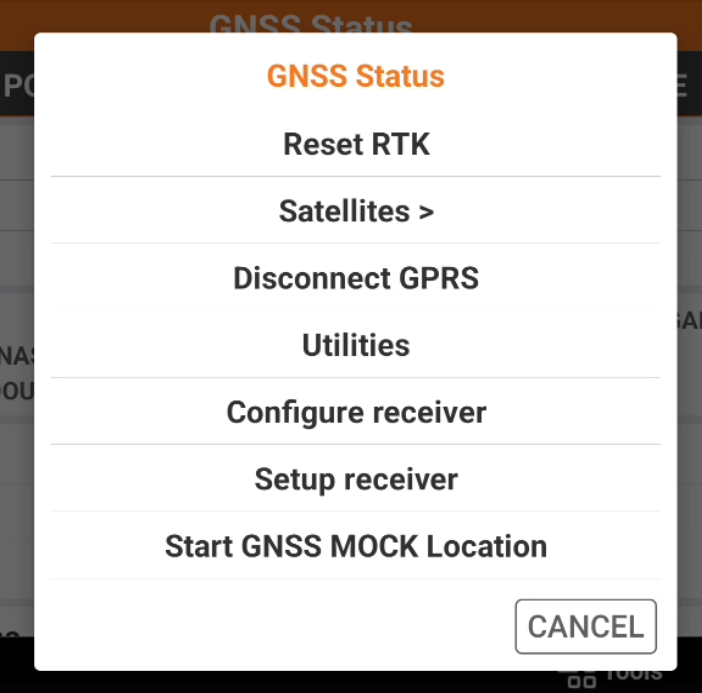
Reset RTK
-
The command is used to force the receiver to re-initialize the calculation of the position. RTK received corrections are reset.
-
Click Tools.
-
Click Reset RTK.
To quickly reset of the RTK corrections and force the receiver to re-initialize the position, double tap for a longer while on the GNSS status.
Change satellites tracking parameters
-
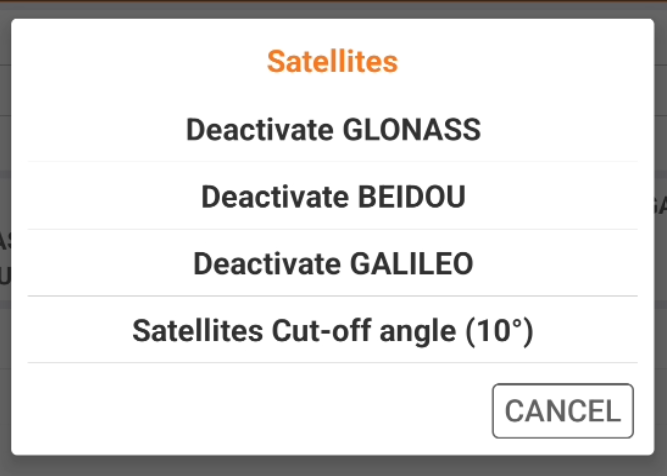
The command is used to activate and deactivate the use of satellites constellations and change the satellite cut-off.
-
Click Tools.
-
Click Satellites.
-
Select the options to enable/disable the constellations and change the satellite cut-off angle.
Connecting and disconnecting GPRS
-
The command is used to connect or disconnect the GPRS when the receiver is configured as network rover.
-
Click Tools.
-
Click Connect GPRS to connect the receiver in internet.
-
Click Disconnect GPRS to disconnect the receiver from internet.
To quickly connect and disconnect, tap for a longer while on the GNSS status.
Start NMEA streaming
-
The command is used to start to stream the NMEA messages from the receiver to be used by other devices, for example as echosounders or georadar, and by external software.
-
Click Tools.
-
Click Utilities and select NMEA output.
-
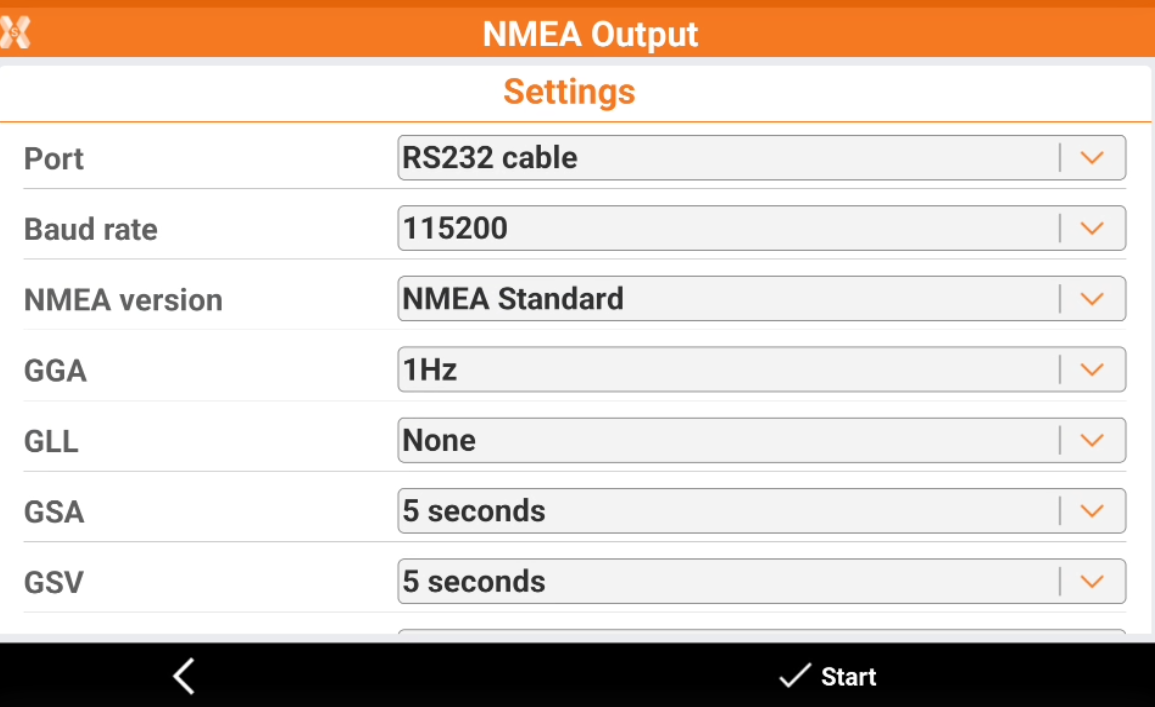
The software opens a new window.
-
Port: the connection to be used to stream the NMEA messages (RS232 cable, bluetooth, USB cable).
-
Baud rate: the connection baud rate.
-
NMEA version: the version of NMEA to use.
-
NMEA messages: select for each standard NMEA message the output rate. Select None to not stream the selected message.
-
-
Click Start to start to stream the NMEA messages.
Reconfiguring the receiver
-
The command is used to reconfigure the GNSS receiver using the current instrument profile.
-
Click Tools.
-
Click Configure receiver.
Setup receiver
-
The command is used to modify the current instrument profile (see Instrument settings ).
-
Click Tools.
-
Click Setup.
-
The software opens the windows to modify the current instrument profile.
Managing files
-
Displays all files with raw data present in the receiver memory. Select or deselect files to be copied to the controller memory.
This command is available for some GNSS models.
-
Click Tools.
-
Click File Manager.
Changing radio channel
-
If the receiver is configured with the UHF, it is possible from here to change the radio channel.
-
Click Tools.
-
Click Change radio channel.
-
Modify the number of the channel used by the receiver radio.
Stopping raw data log
-
If the receiver is currently logging raw data it is possible from here to stop the raw data logging.
-
Click Tools.
-
Click Stop raw data logging.
-
The software stops recording of raw data by receiver.
Start GNSS MOCK Location
-
This command starts the GNSS Mock location.
PPP (Precise Point Positioning)
-
If the receiver is configured to work with PPP, the tool PPP (Precise Point Positioning) is available
-
Activate PPP: allows to activate the PPP when working with a GNSS receiver with PPP corrections.
-
Open PPP manager: allows to open the PPP manager to select or create a new PPP adjustment.
-