


The operation loads points, drawing, surfaces and road alignments from the selected file.
-
To load a LandXML file as external reference click External references.
-
Click Add.
-
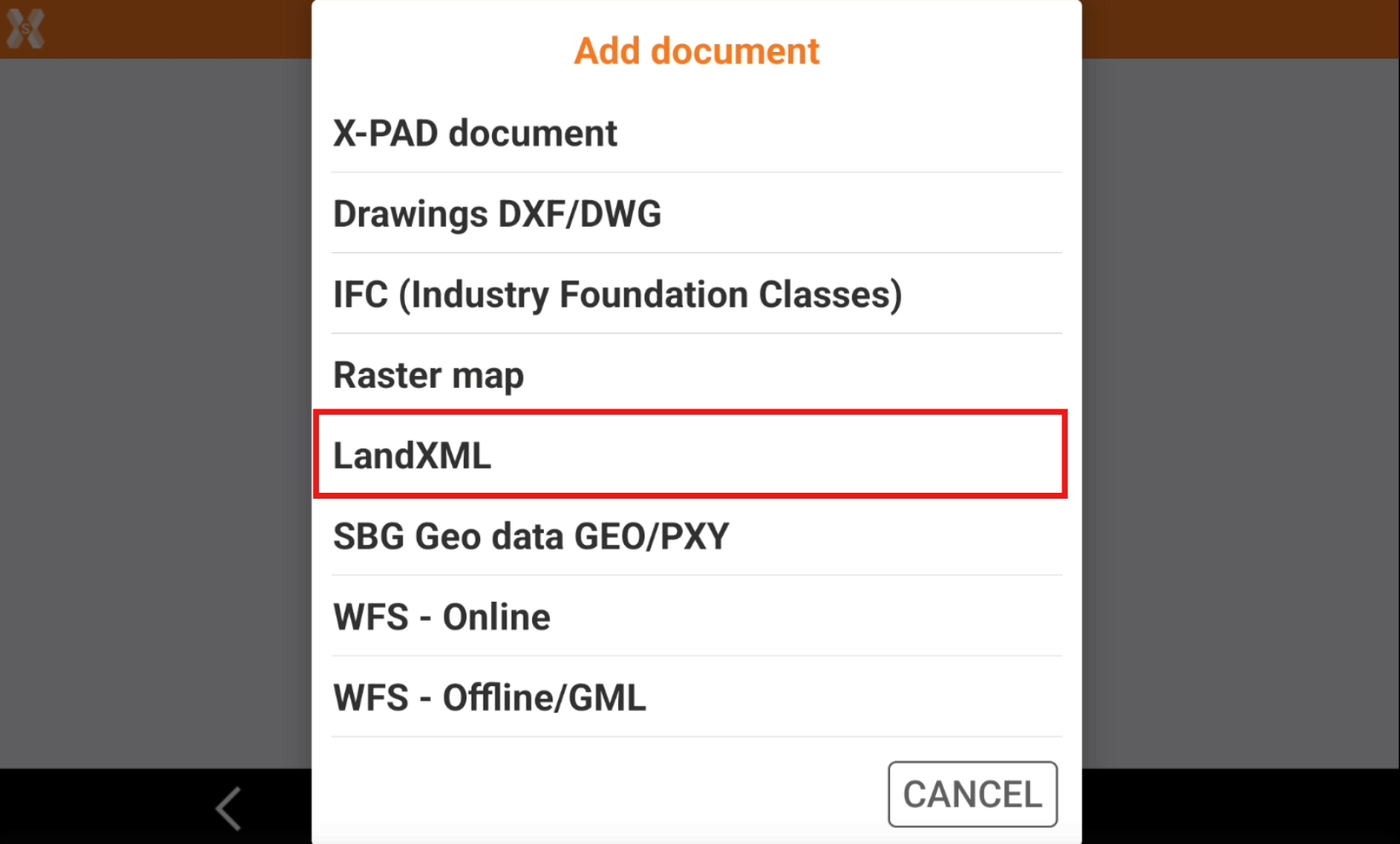
Select LandXML.
-
Select the file from the internal memory or from the cloud.
-
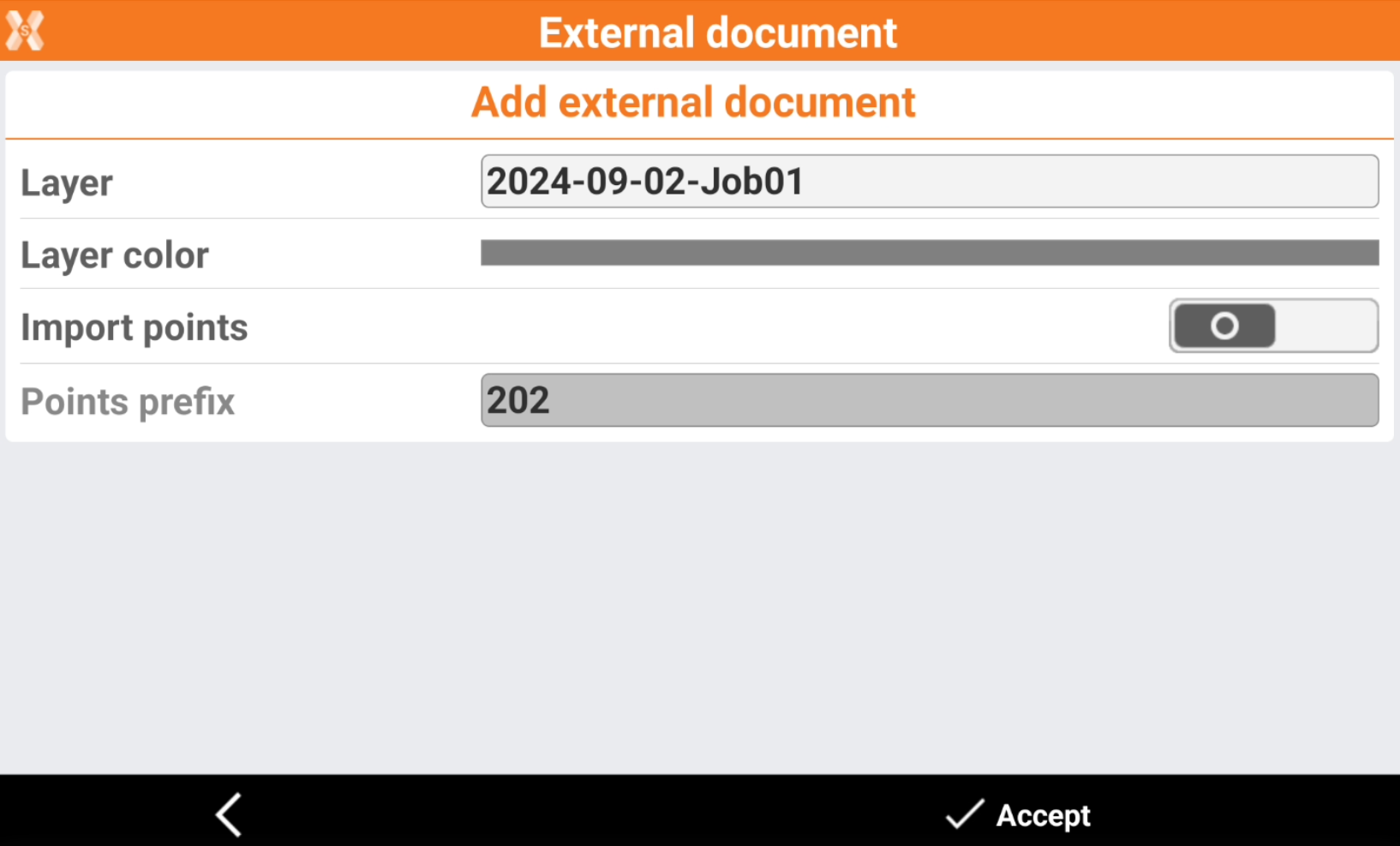
Enter the options.
-
Layer: the layer where imported data is loaded in the job.
-
Layer color: the color of the layer.
-
Import points: enables/disables the importing of points from the selected file.
-
Points prefix: the prefix to be applied to imported points.
-
-
The reference job is loaded.
