


-
Raster maps can be loaded to be used in background.
-
Supported formats are:
-
JPG
-
BMP
-
PNG
-
TIFF
-
-
To load a raster map click External references.
-
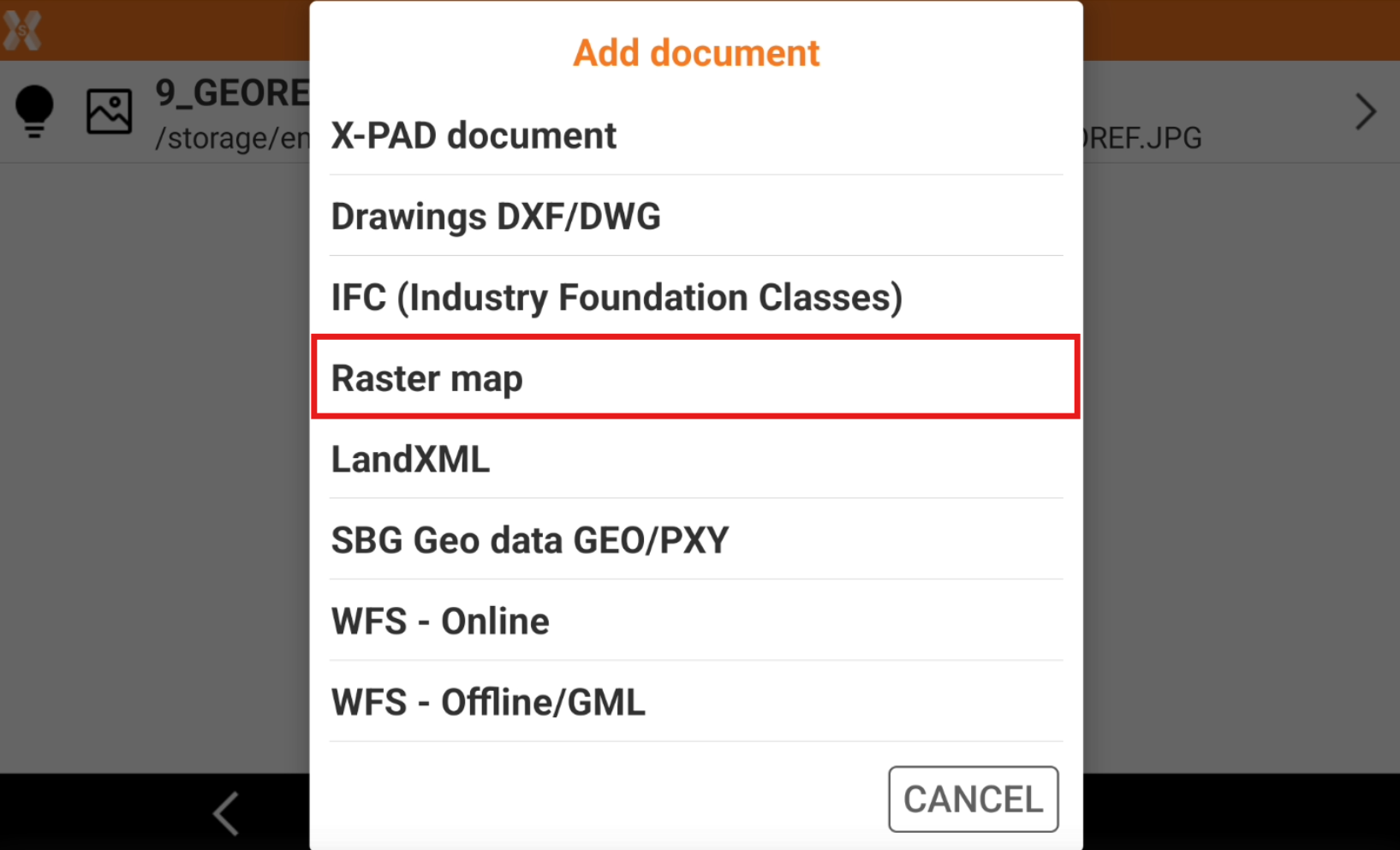
Click Add.
-
Select Raster map.
-
Select the file from the internal memory or from the cloud.
-
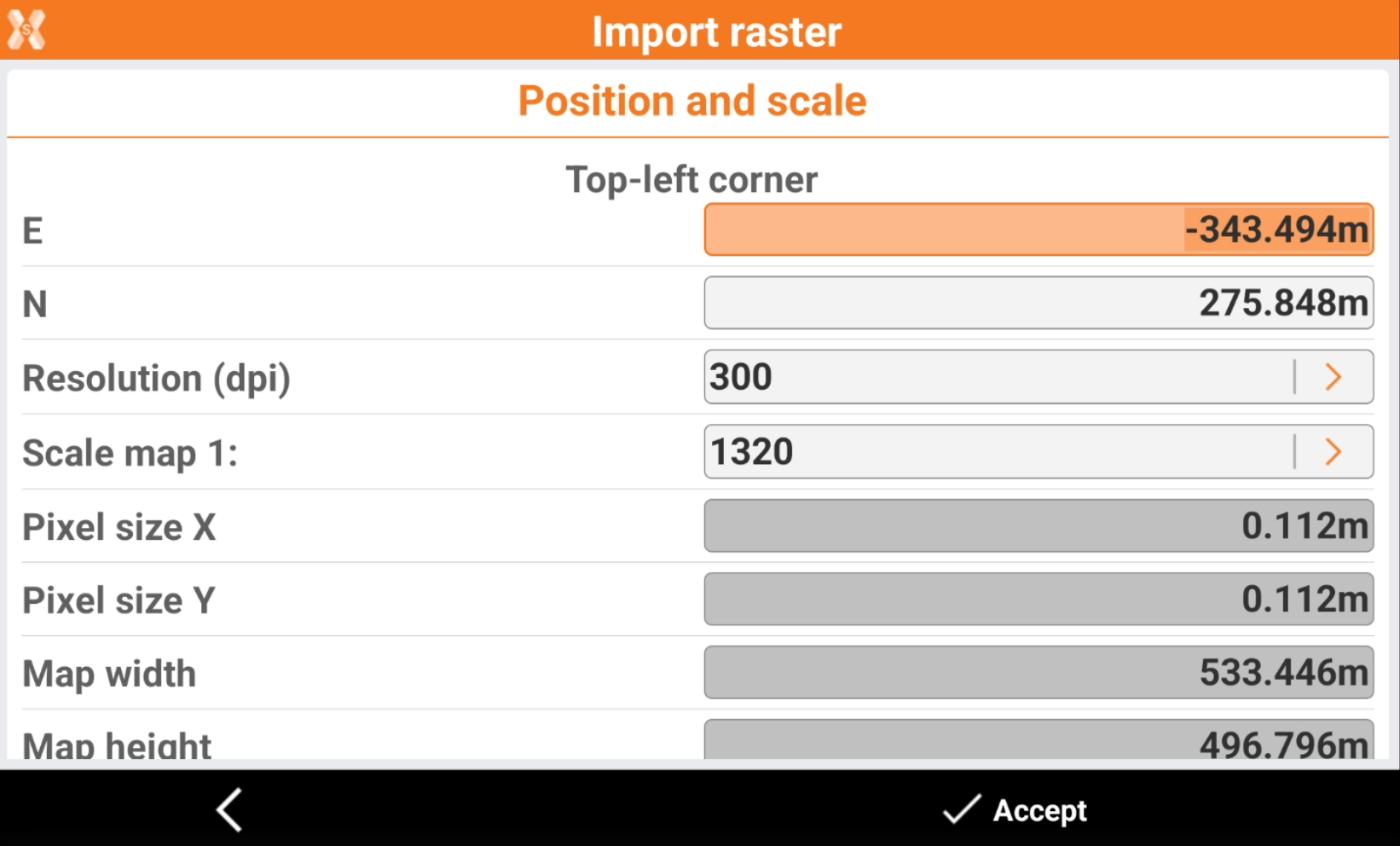
Define position and scale.
-
Top-left corner: coordinates of the top-left corner in which to position the image
-
Resolution (dpi): the image resolution in dpi.
-
Scale map 1: scale factor to assign to the map for correct representation.
-
If the file of the image comes with the World file, the positioning parameters allowing to visualize the image in the correct position and dimension are just visualized.
-
Click Accept to load the file.
-
The reference job is loaded.
