


-
Record static data of the position of the receiver for post-processing to determinate precise coordinates.
-
Click Survey.
-
Click Static survey.
-
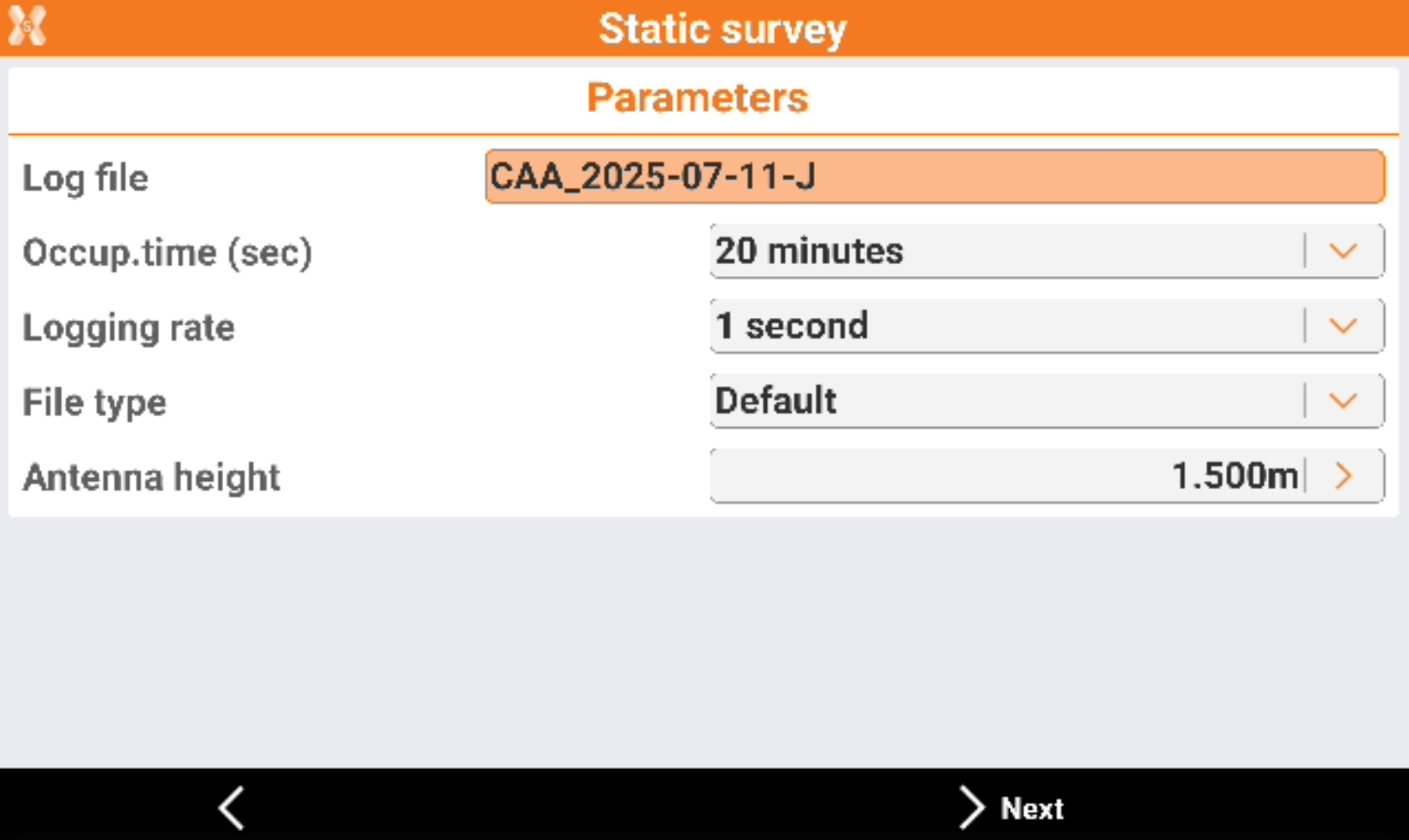
Define the parameters necessary to execute recording of data of the session by the receiver.
-
Log file: name to assign to the log file that contains data of the occupation.
-
Logging rate: frequency with which to record data for post-processing.
-
Occup.time: occupation time of the point. Set a default time or choose the Custom option. In this case, the stop of the point occupation has to be made manually.
-
Memory type: available on some receiver models. Receiver internal memory or SD card.
-
File type: sets the file’s type to store.
-
Antenna height: sets the height of antenna to store.
-
-
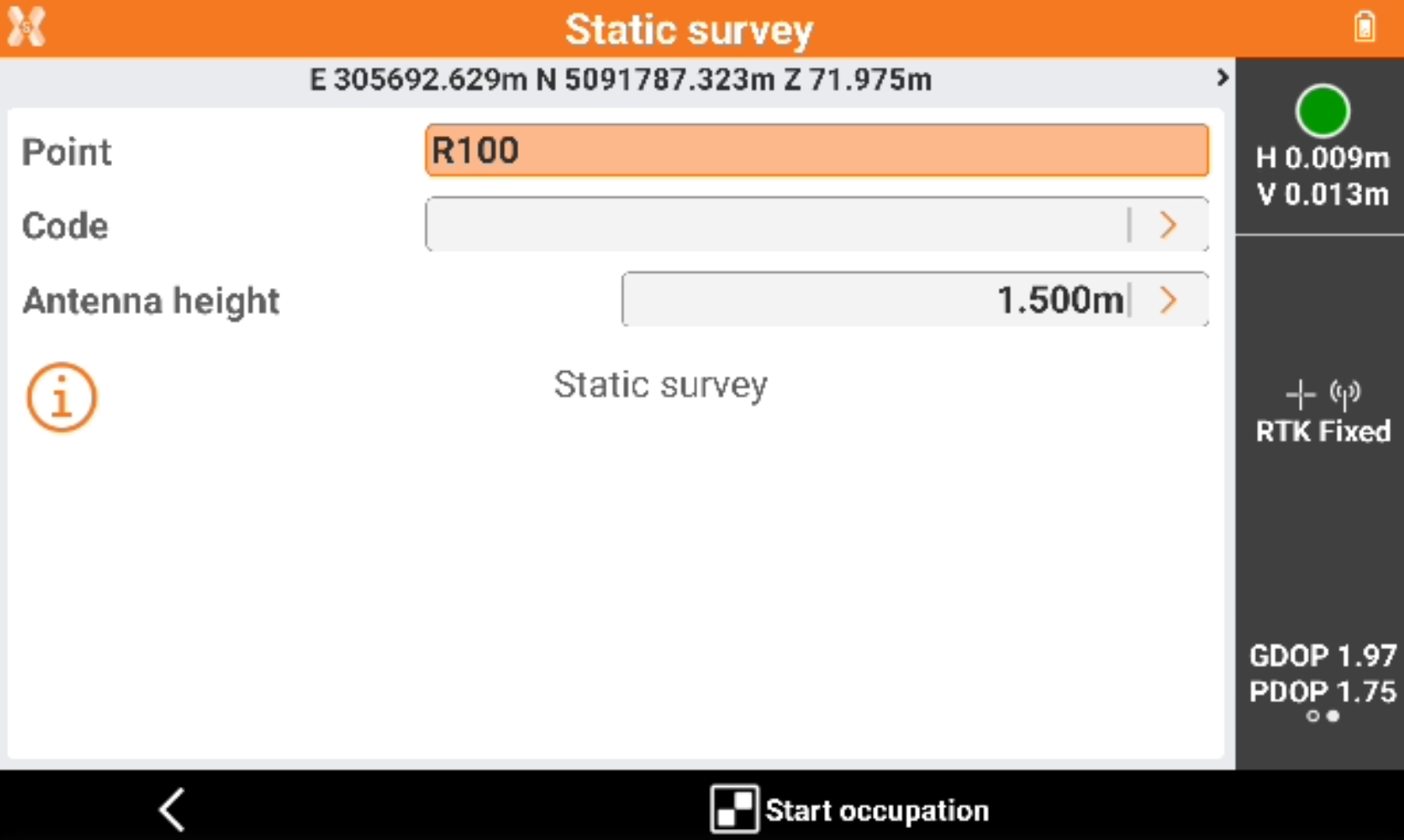
Tap Next to proceed and go to the window of static measuring of points. The window functions in the same way of the simple surveying window.
-
Click Start occupation to start the recording.
-
The static measuring of the positions starts. Receiver begins data recording inside the controller or in its internal memory.
-
If the time of occupation has been defined, a counter of the remaining time is displayed. Otherwise a counter shows the time since the beginning of the occupation.
-
Tap to stop measuring.
-
At the end of the occupation or after a stop, the command asks a confirmation of the data of the point.