
-
Use the command Projection to entity to create a topographic point by projecting selected point on a selected drawing entity.
-
Click Draw.
-
Click click below Point to open drop down menu.
-
Click Projection to entity.

-
Select topographic point to project.
-
Select the entity to which project the point.
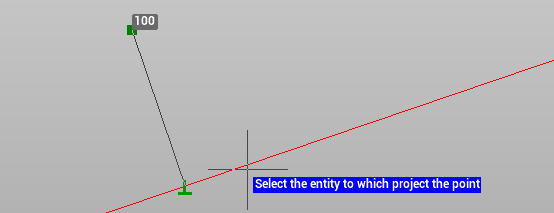
-
Click to create the point.