

-
When an entity in CAD is selected, it is possible to directly stakeout the entity using the current topographic instrument.
-
The corresponding stakeout function is opened.
Stakeout a point from CAD
-
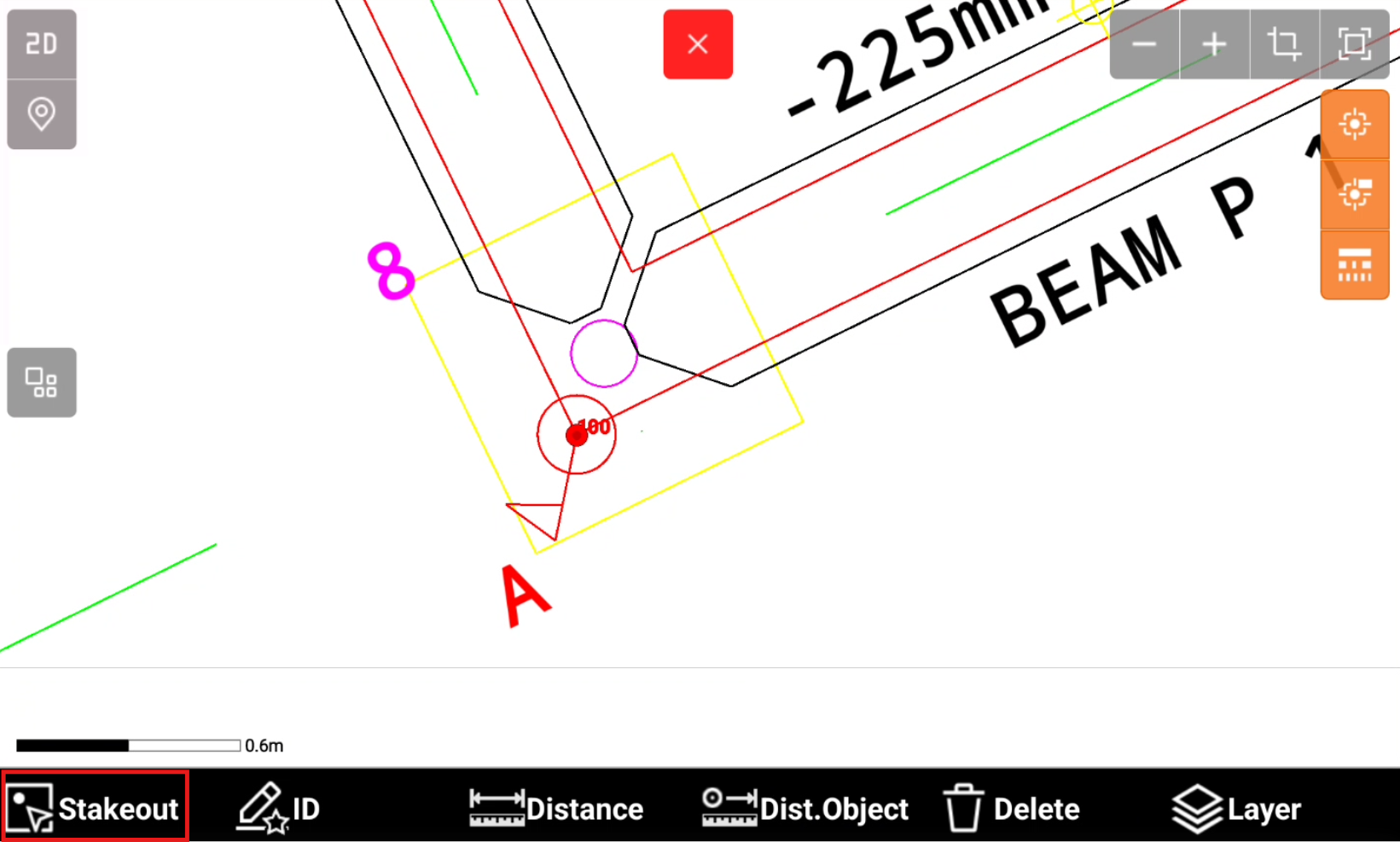
Select a point in CAD.
If the point is not available you can create the topographic point using the function Draw point.
-
Click Stakeout.
-
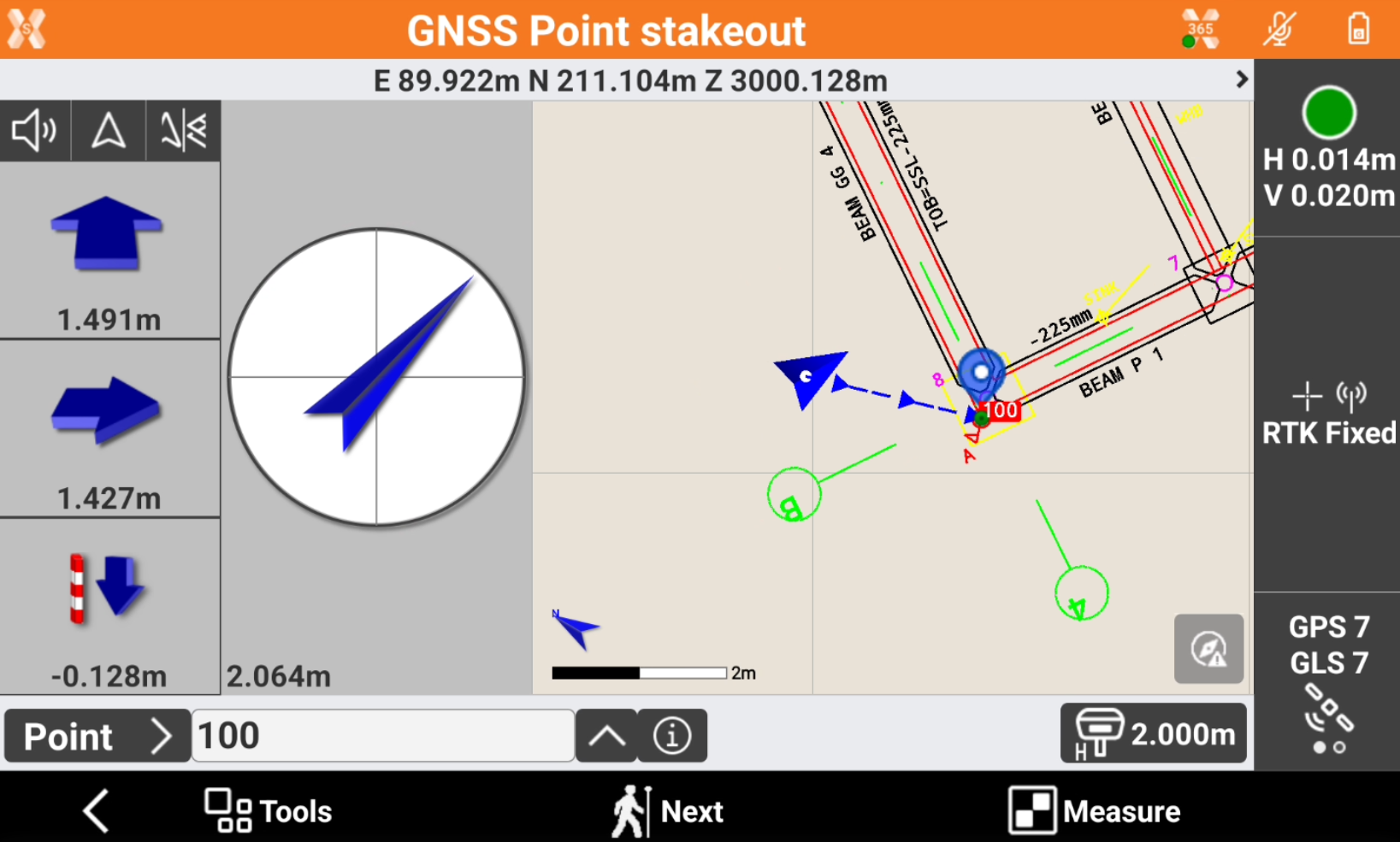
The function Stakeout point is started, with indications to stakeout the selected point.
Stakeout a polyline from CAD
-
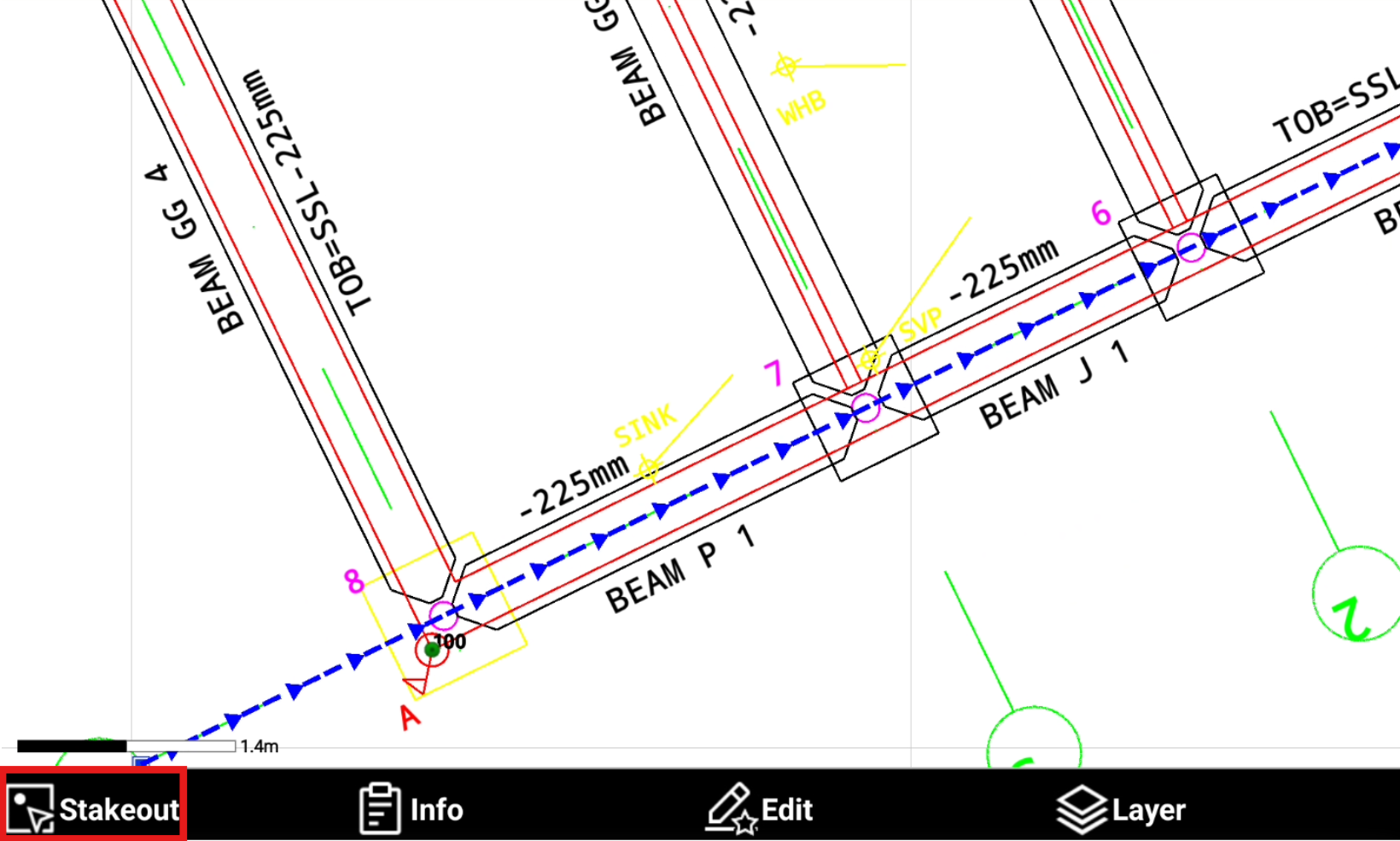
Select a polyline in CAD.
-
Click Stakeout.
-
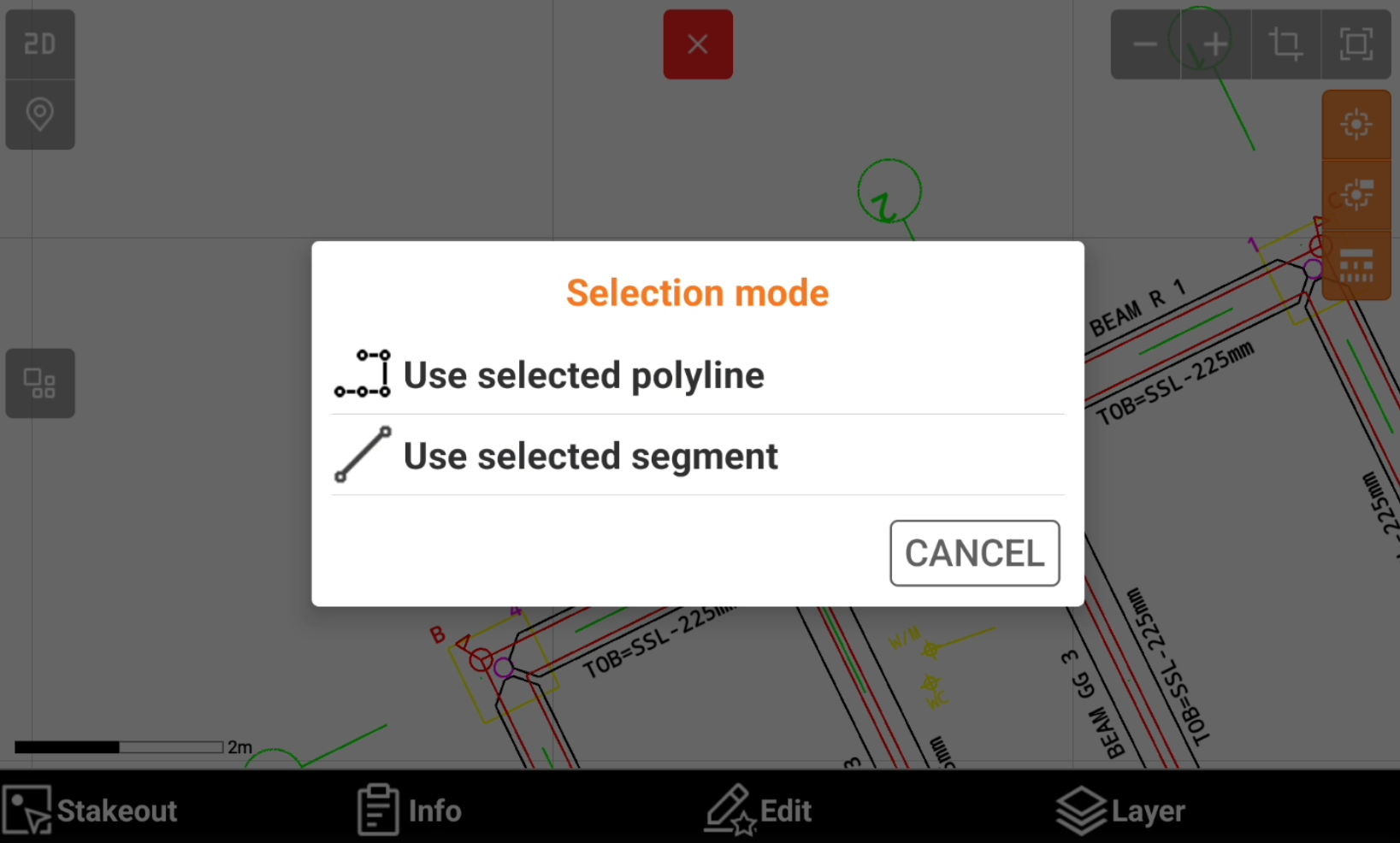
If a polyline and not a line is selected, choose the Selection mode.
-
Use selected polyline: stakeout the selected polyline.
-
Use selected segment: stakeout the selected segment of the polyline.
-
-
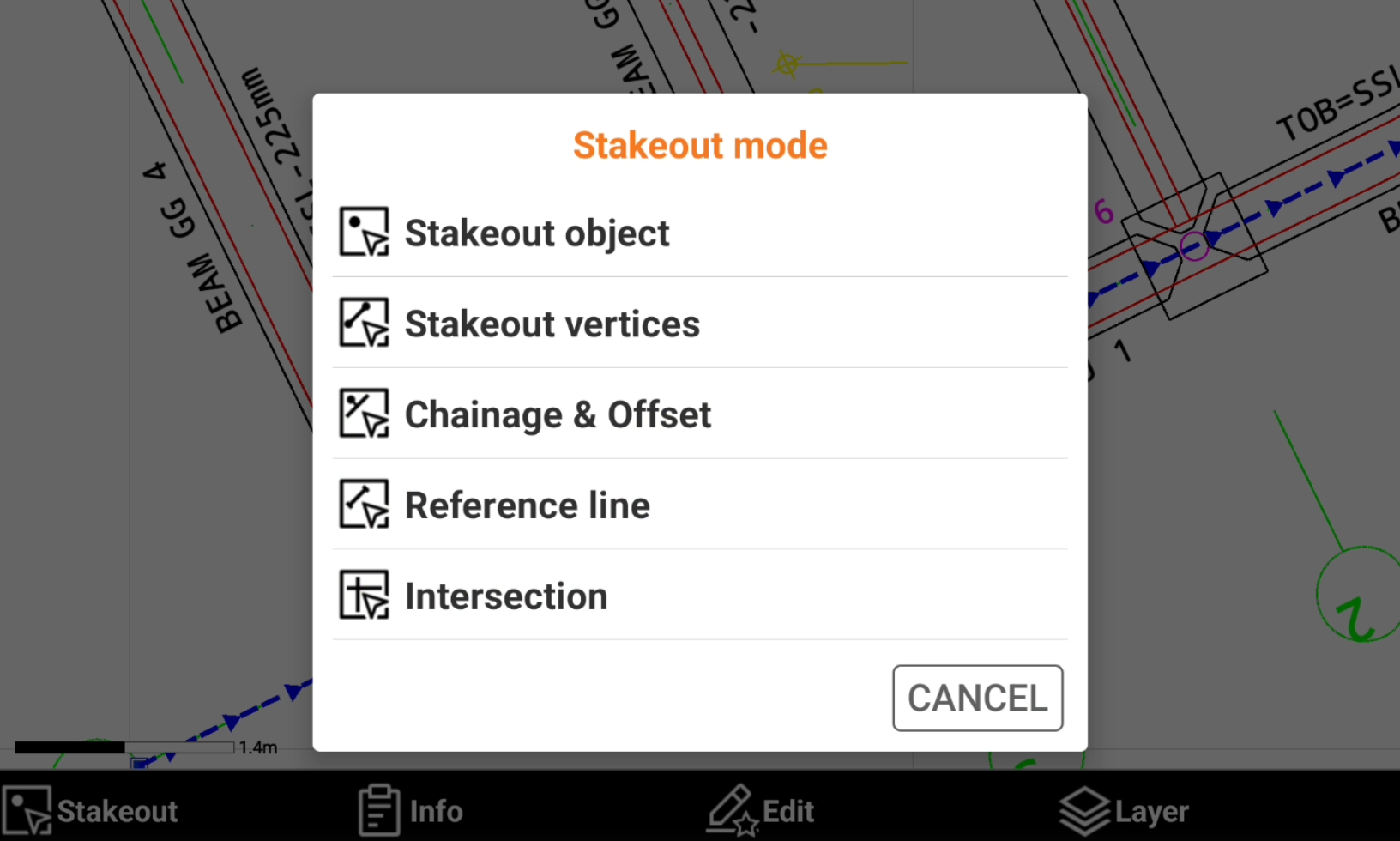
Select the Stakeout mode.
-
Stakeout object: stakeout the entity using the Stakeout object function.
-
Stakeout vertices: stakeout the vertexes of the selected entity with the Stakeout point function.
-
Chainage & Offset: stakeout the entity using the Stakeout chainage & offset function.
-
Reference line: stakeout the entity using the Reference line function.
-
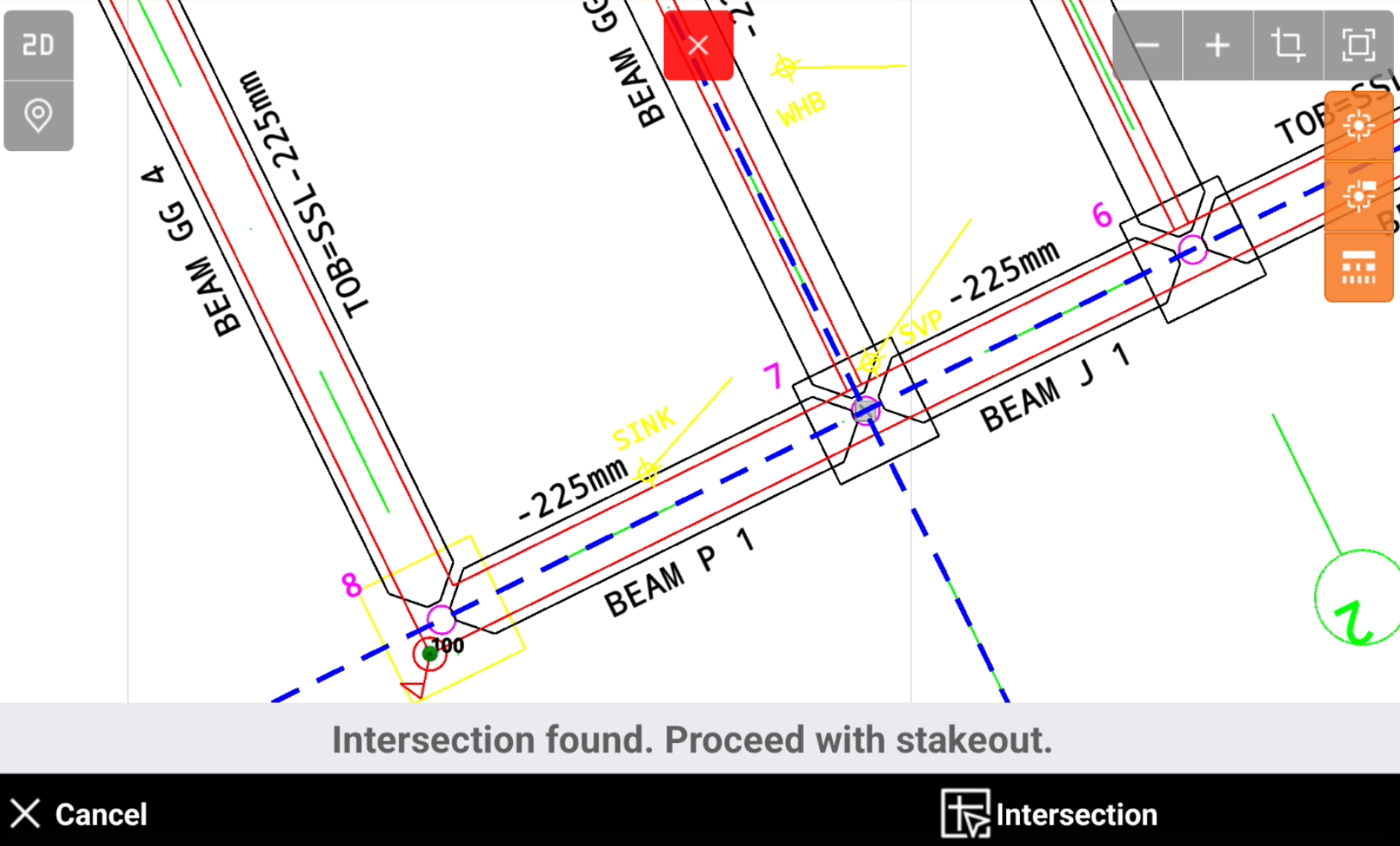
Intersection: allows to select an intersection point to stakeout. When Intersection is selected select the second object for intersection. Click Intersection to stakeout the intersection point with the Stakeout point function.
-
After a Stakeout mode is selected the first time, it is memorized and not asked anymore until CAD is closed and reopened.