



-
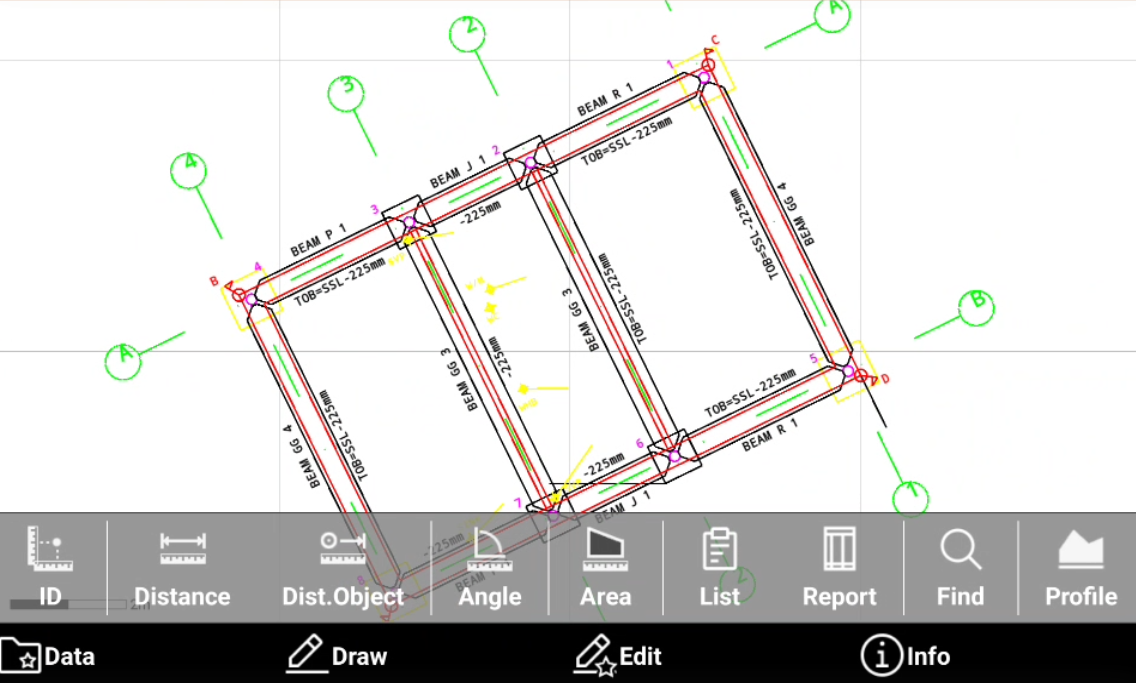
CAD Info commands are used to obtain different information from drawing and from present objects and generate reports.
-
Open CAD.
-
Click Info to open the information toolbar.
-
Coordinate of a point: provides information about the selected position.
-
Distance info: provides information about the distance between two points.
-
Distance between point and object: provides information about the distance between a point and an object.
-
Angle: provides information about the angle between three points.
-
Area: provides information about the area of a polygon formed by a sequence of points.
-
List: provides information about a selected object.
-
CAD report: creates a exportable document that has information about selected objects including information about the length, the area and the number of vertices.
-
Find: brings a topographic point into the center of the graphic window.
-
Profile: displays the longitudinal profile of the selected polyline including additional information about the polyline.
-