



-
It is possible to delete and restore measurements from the measurements fieldbook.
The measurement is not completely deleted but the delete status is assigned. The measurement can be restored at any time.
-
Open the Job tab.
-
Select Points/Measurements/Codes.
-
Open the Measurements tab.
Delete a single measurement
-
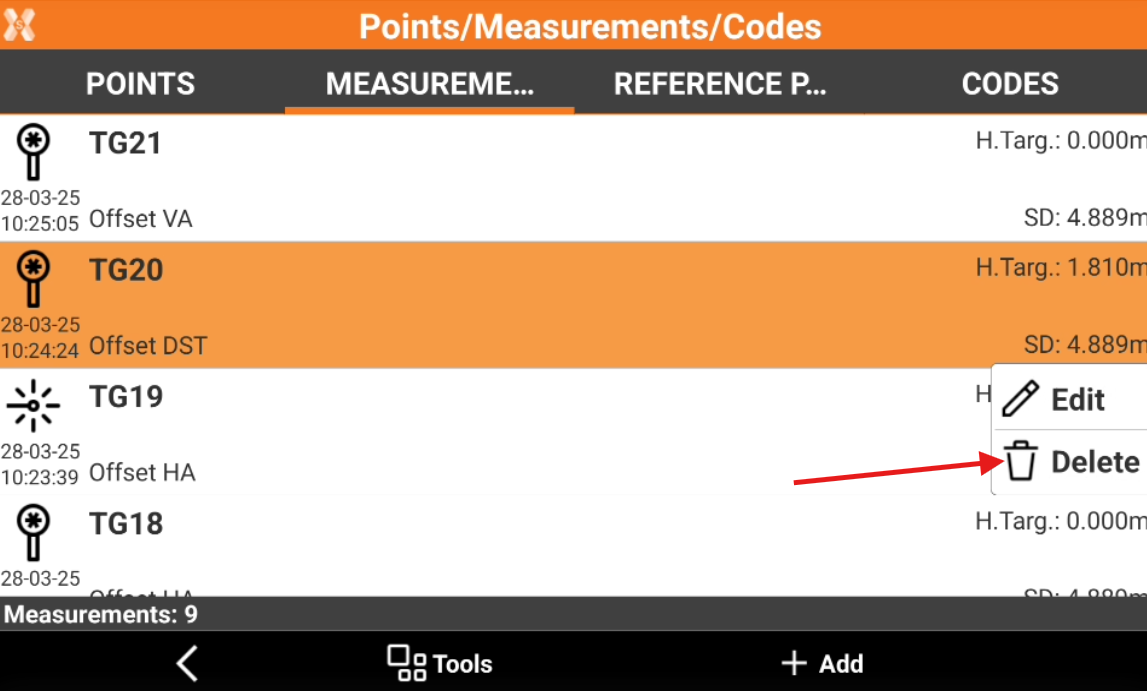
From the Measurements list tap on a measurement to open the context menu.
-
Select Delete to delete the measurement.
Restore a deleted measurement
-
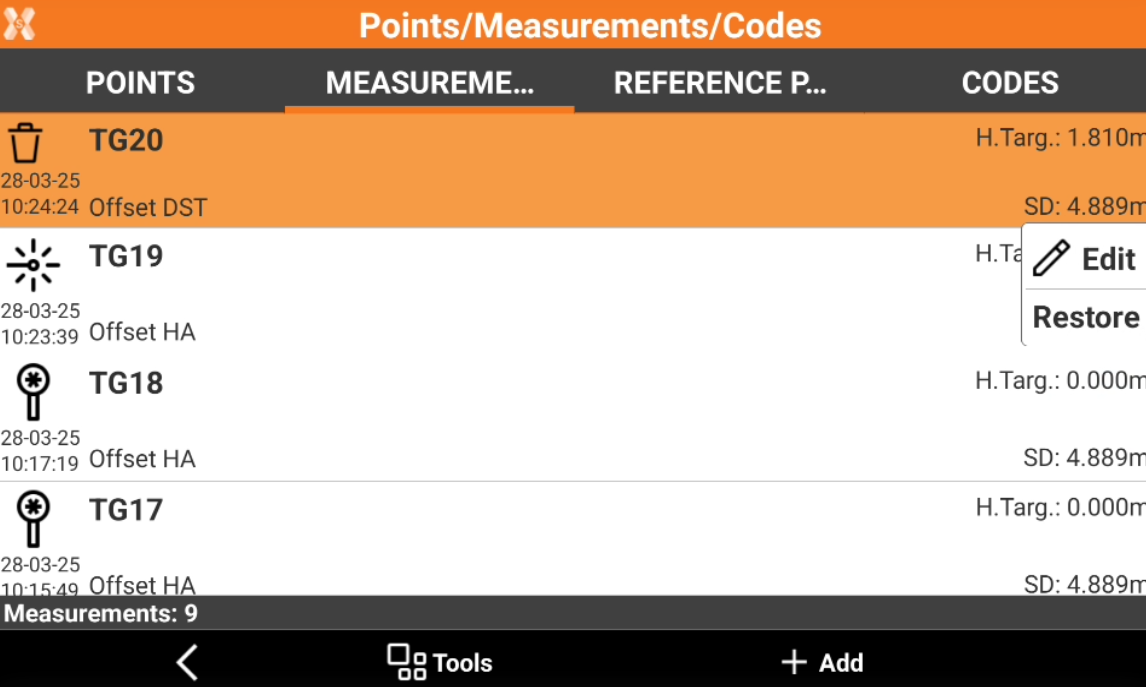
In the Measurements tab, tap on a measurement in the table that is marked with the delete status icon

-
Select Restore to restore the selected measure.
Delete a group of measurements
-
From the Measurements tab select Tools.
-
Select Delete measurements.
-
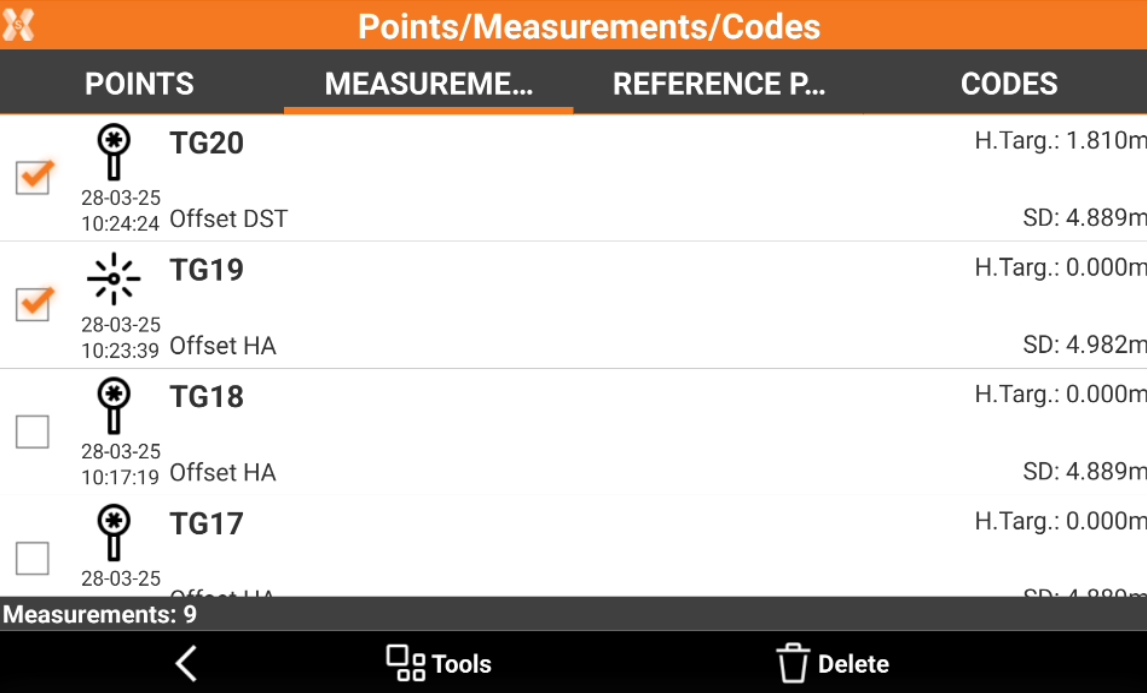
Select the measurements on the table. Click Tools to select or deselect all measurements of the list.
-
Select Delete to proceed with deleting of measurements.