


-
Performs a measurement using a multi target pole.
-
Open the Measure mode page.
-
Select Multi target.
-
Press Measure.
-
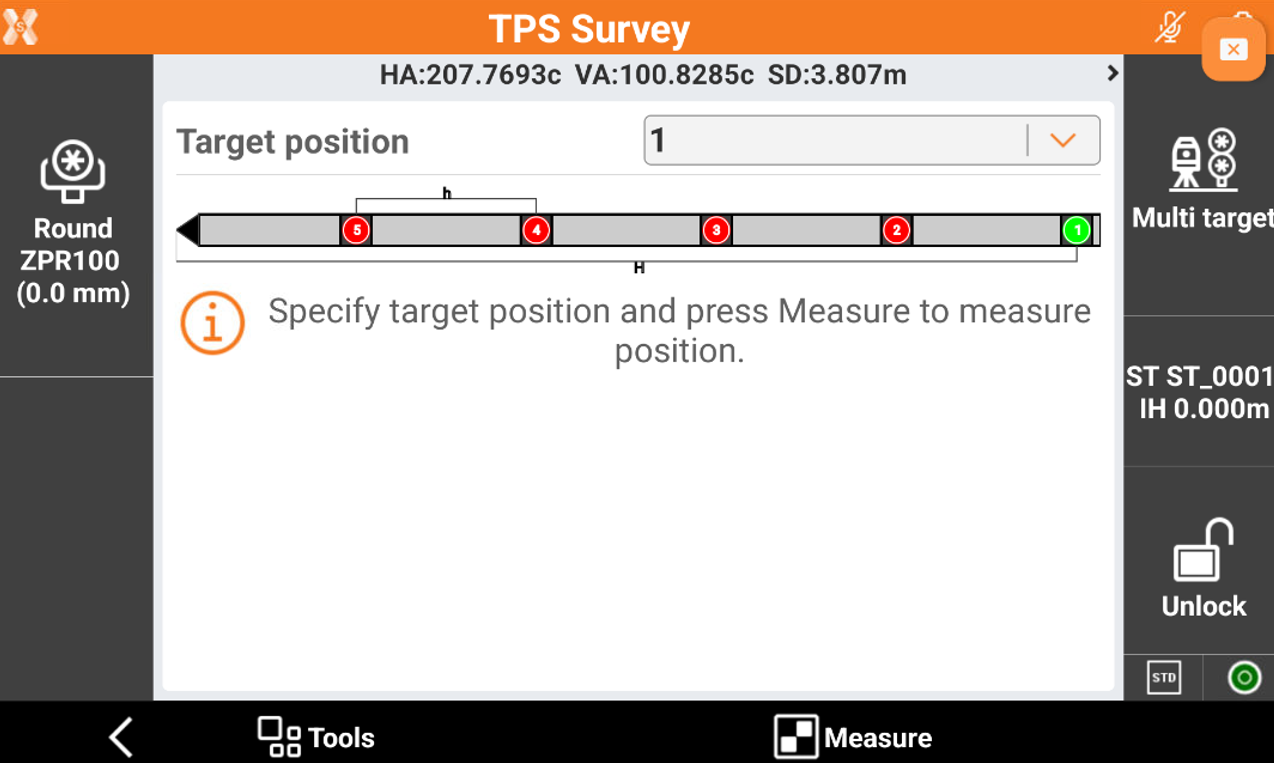
The software allows to indicate the target position on the pole.
-
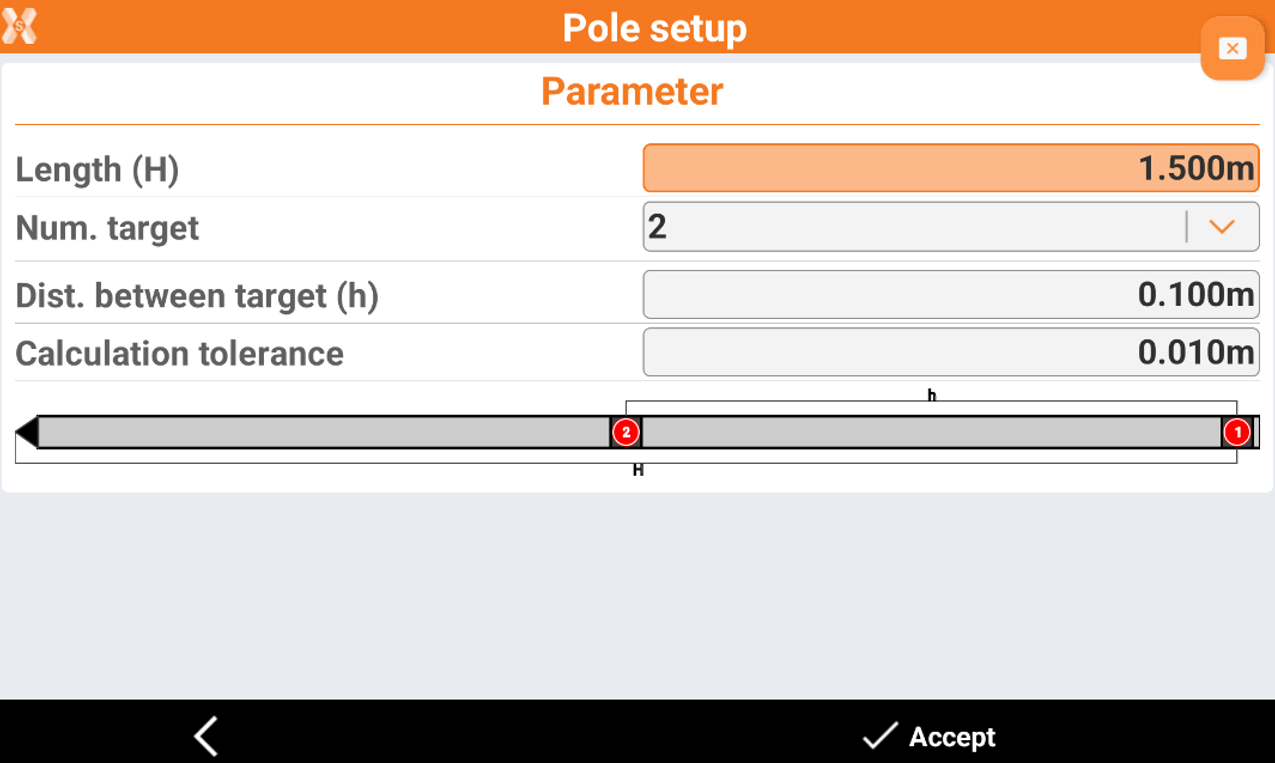
Click Tools and Pole setup to setup the parameters of the multi target pole.
-
Press Measure to measure the first target position.
-
Continue to measure the other target positions.
-
Click Store to save the calculated coordinate.