



-
Making the orientation of the station is usually the first step before measuring with a total station.
-
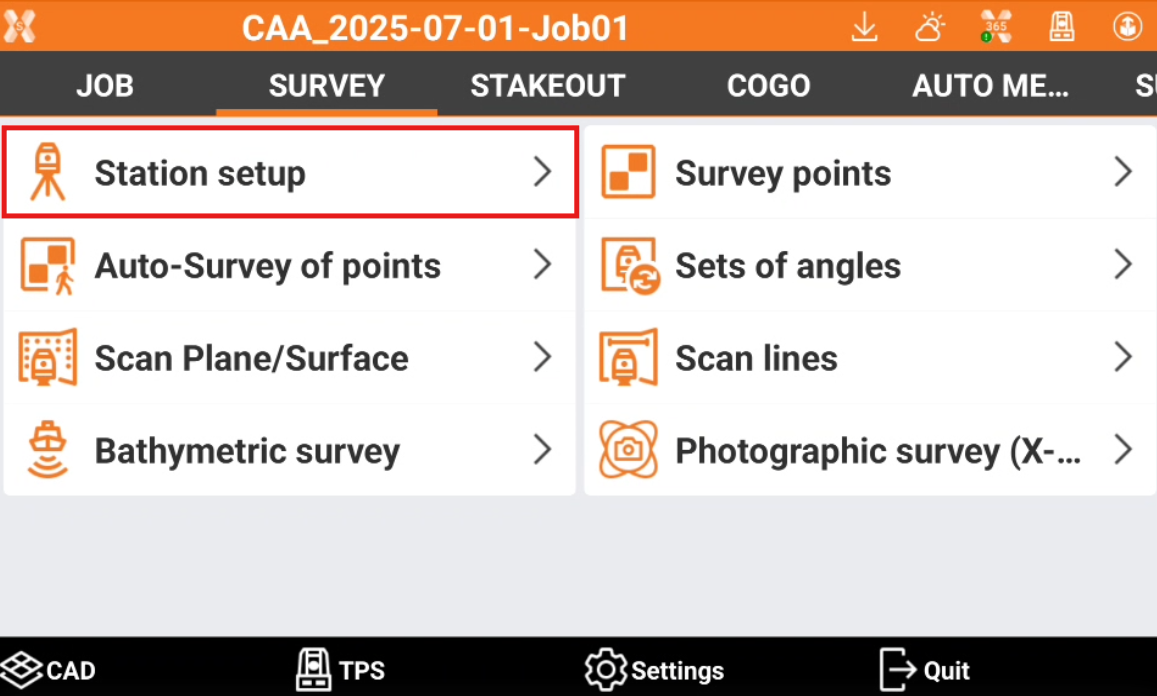
To perform the station setup open the Survey page.
-
Select Station setup.
-
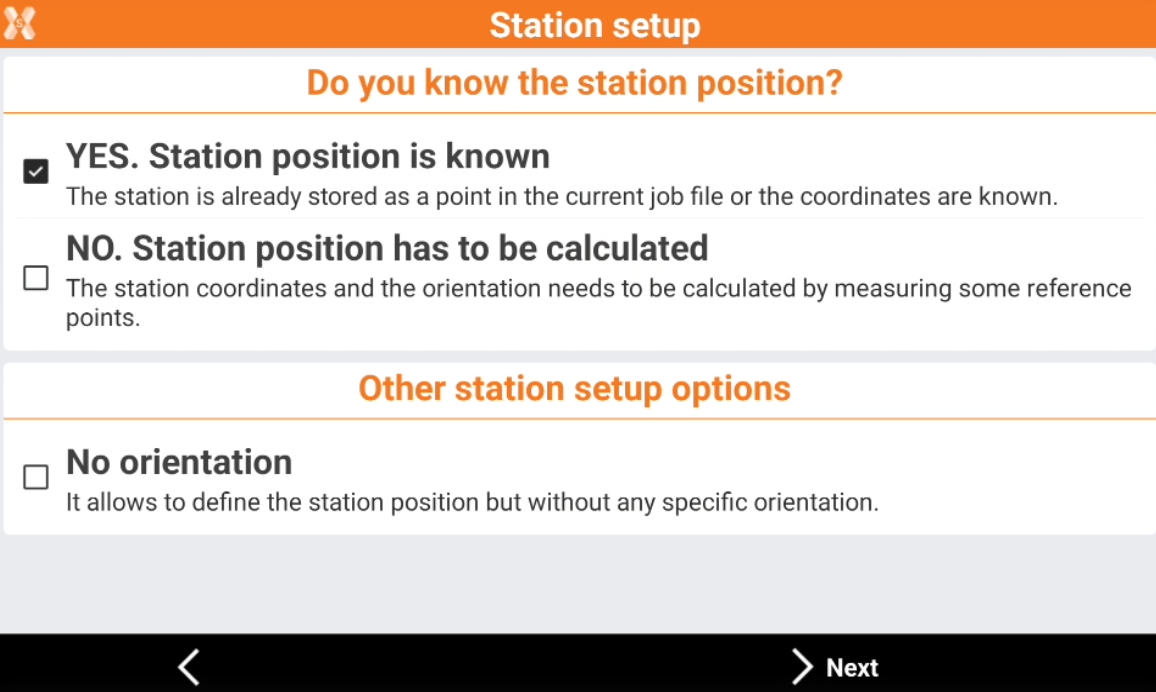
Select a station method or click New setup. On
-
Yes. Station position is known: the coordinate of the station are known.
-
Backsight to known point: orientation is done from a known position measuring a known control point.
-
Backsight by azimuth: orientation is done from a known position measuring a known azimuth.
-
Orientation to multi points: orientation is done from a known position measuring multiple known control points.
-
Backsight to known point & traverse: this orientation method offers a guidance when measuring stations for a traverse.
-
-
No. Station position has to be calculated: the station coordinates must be calculated measuring reference points.
-
Free station: the total station position and orientation is calculated from measurements of known control points.
-
Auto free station: the method is used with robotic total stations measuring automatically known control points and calculating the station position and orientation.
-
Reference axis: the station position and orientation is calculated using a reference axis.
-
2 reference axis: the station position and orientation is calculated using two reference axis.
-
Batter boards: the station position and orientation is calculated using three reference axis.
-
Free station 3D: the total station position and orientation is calculated from measurements of known control points using a 3D transformation.
-
-
No orientation: it allows to define the station position but without any specific orientation.
-