

-
The station has been placed on a point with known coordinates and the orientation is determined through the measurement of a reference point with known coordinates and a foresight traverse point.
-
Select Yes. Station position is known.
-
Select Backsight to known point and traverse.
-
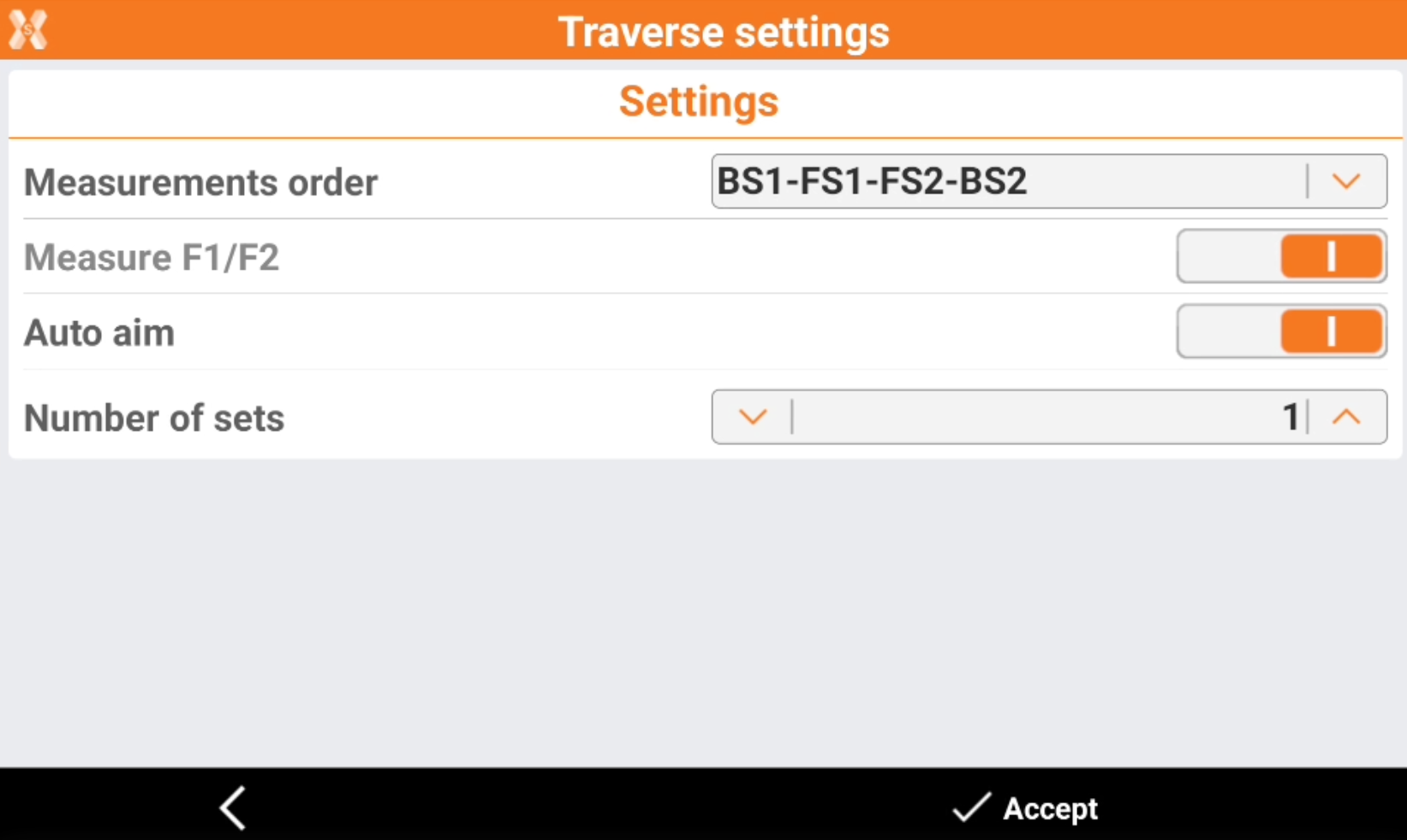
Define the traverse settings.
-
Measurements order:
-
BS1-FS1-FS2-BS2: all points are measured in face I, then measured in face II.
-
BS1-BS2-FS1-FS2: backsight point is measured in face I immediately followed by face II. Other points are measured in face I, face II order.
-
-
Auto aim: enables/disables the aim functionality with robotic total stations.
-
Number of sets: the number of measured sets.
-
-
Click Accept to proceed to define the station setup.
-
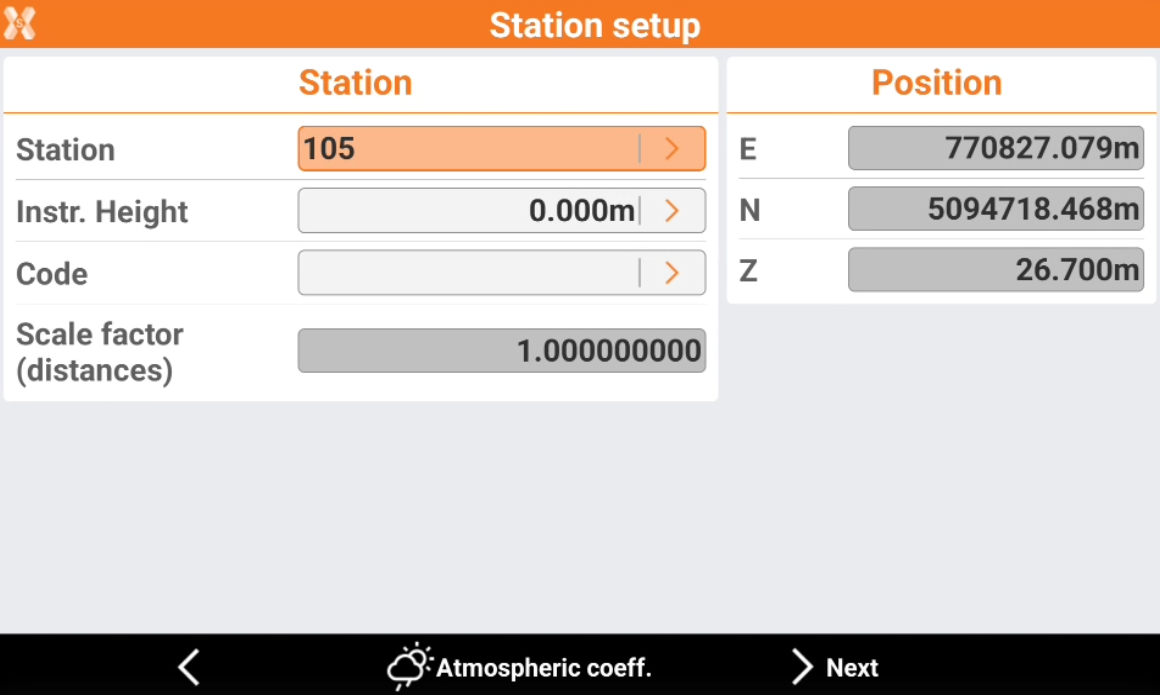
Station: name of the station. Select a point existing in the job.
-
Instrument height: elevation of the total station from the ground. It is possible to calculate the height of the instrument.
-
Code: code to assign to the station point in case a new point is created.
-
E, N, Z: coordinates of the station. When an existing point was selected, the values cannot be edited.
-
-
Click Atmospheric coeff to change the atmospheric coefficients.
-
Click Next to proceed to define the backsight point.
-
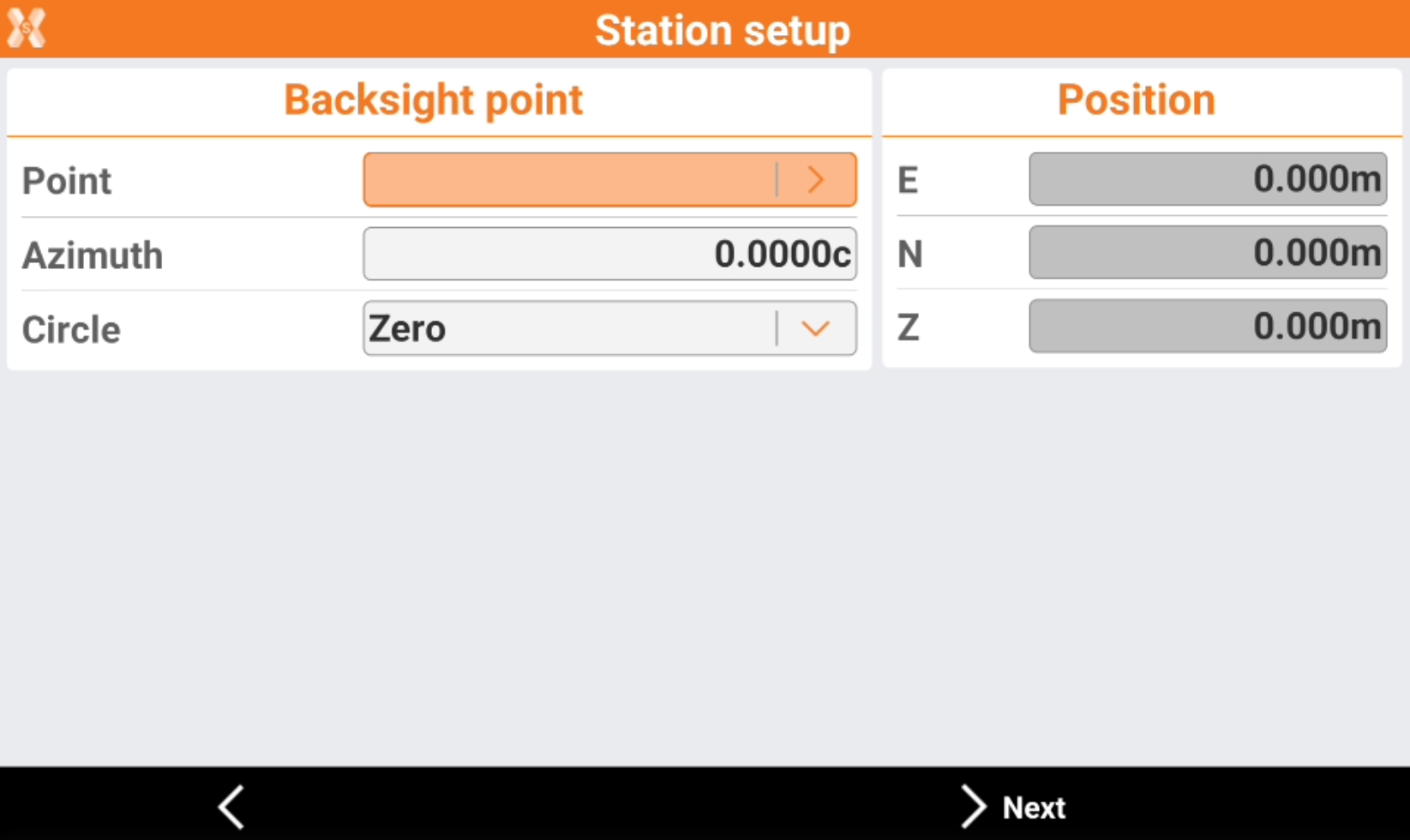
Point: specify the reference point which must be measured for the calculation of the station orientation.
-
Azimuth: the azimuth between the position of the station and the reference point is calculated.
-
Circle: define how to set the horizontal angle of the station:
-
Current value: the angle of the station is not modified.
-
Zero: the angle of the station is reset to the reference point.
-
Azimuth: the angle of the station is set to the azimuth value.
-
-
-
Press Next to measure the backsight point.
-
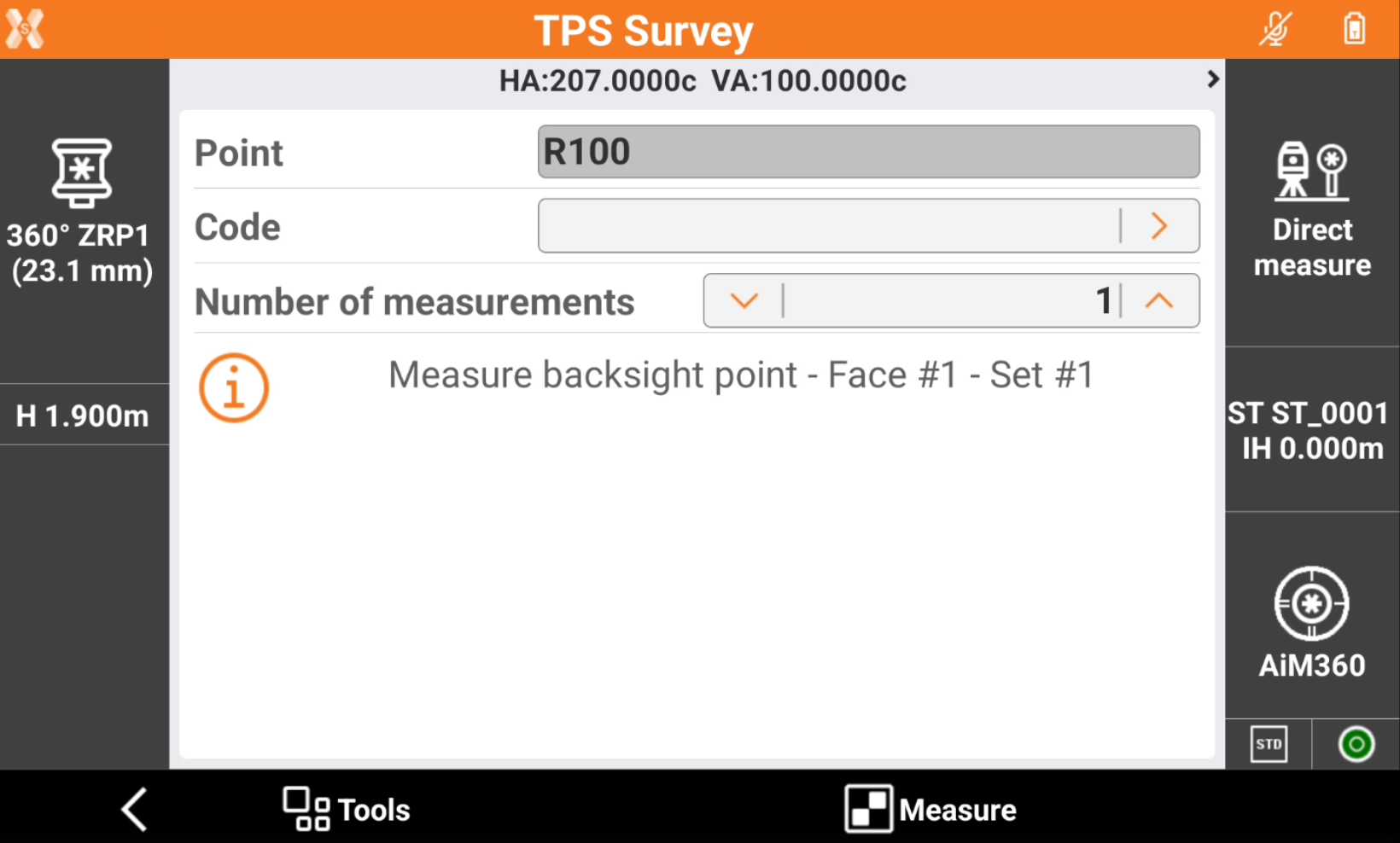
Aim the point of orientation.
-
Tap Measure.
-
The procedure guides to measure the backsight point, the next foresight traverse point in direct and reverse face and checks the errors.
-
When stationing is completed, the procedure guides to move to the next traverse point and continue the process with the backsight of the previous traverse point.