



-
To delete a reference point open the Job tab.
-
Select Points/Measurements/Codes.
-
Open the Reference points tab.
Delete a single point
-
To delete a single reference point, from the Points tab select a point to open the context menu and select Delete.
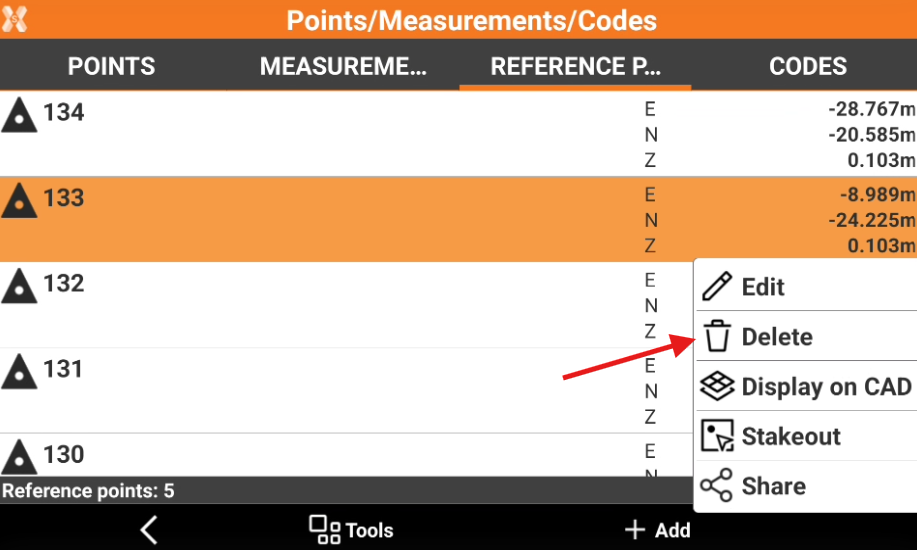
The deleted point cannot be restored.
Delete multiple points
-
To delete multiple topographic point, from the Reference points tab select Tools and select Delete.
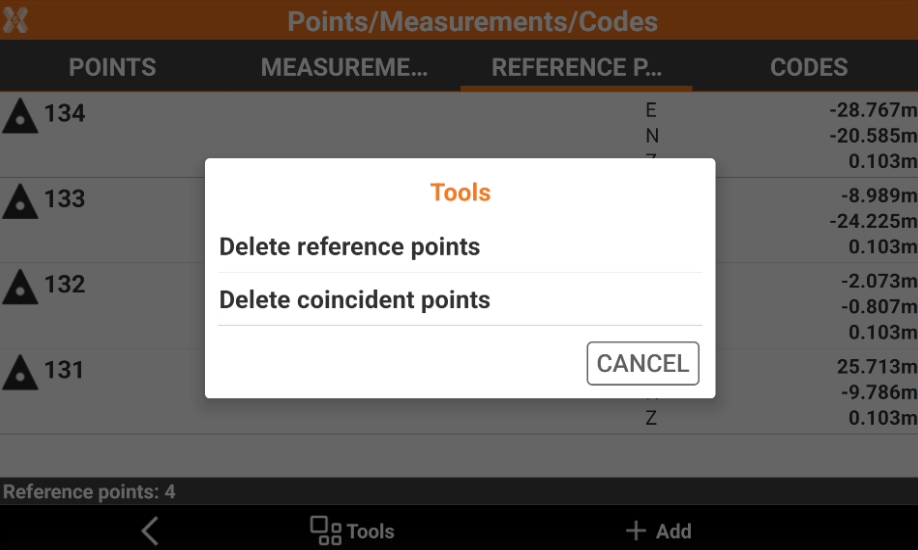
-
Select Delete reference points.
-
Check the points from the list, or click Tools to use Selection rules or select/deselect all the points.
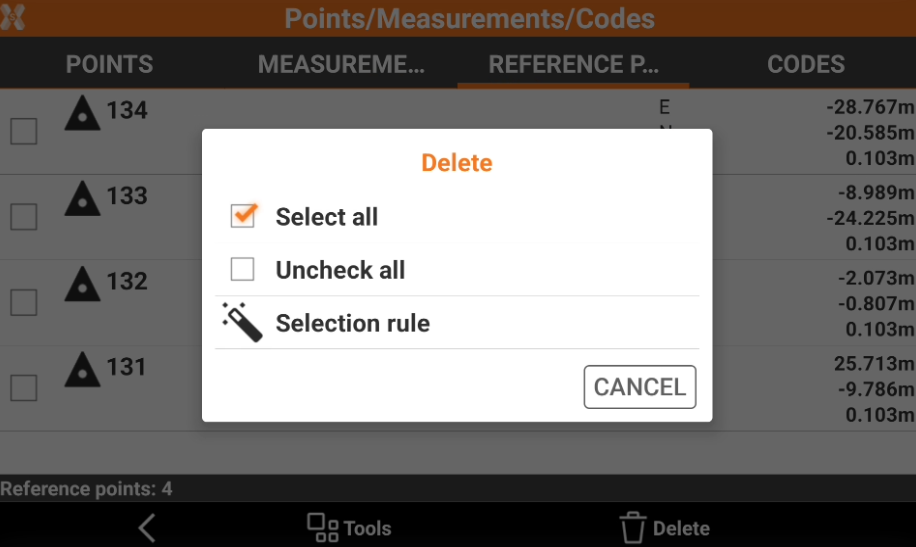
-
Select Delete to delete the points.
The deleted point cannot be restored.
Delete coincident points
-
To delete points with the same coordinate, from the Reference points tab select Tools and select Delete.
-
Select Delete coincident points. Click YES to delete points with same coordinates.
The deleted point cannot be restored.