



-
The command invert coordinates allows to invert the sign of east and north coordinate.
-
Click Job.
-
Click Points/Measurements/Codes.
-
Open the Reference points tab.
-
Click Tools to open the list of available tools.
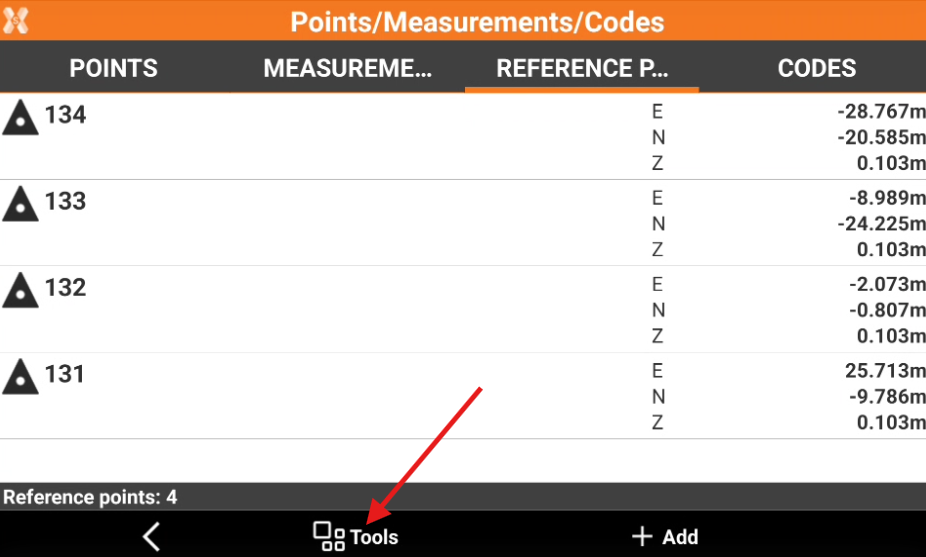
-
Click Edit.
-
Select Invert coordinates.
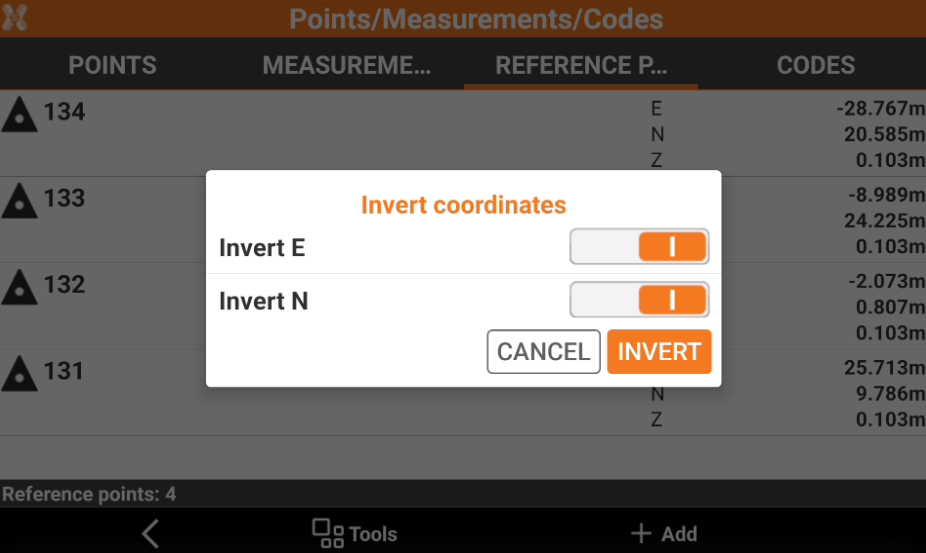
-
Select the coordinate to invert the sign.
-
Click Invert to confirm the operation.