



-
Project Manager is a panel that allows access to the management and modification of the several types of entities that can be displayed in the CAD window.
-
Open CAD.
-
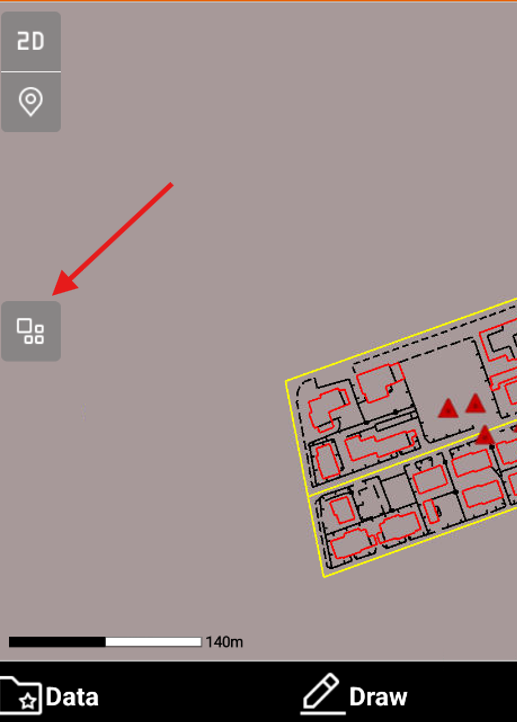
Click Project Manager icon.
-
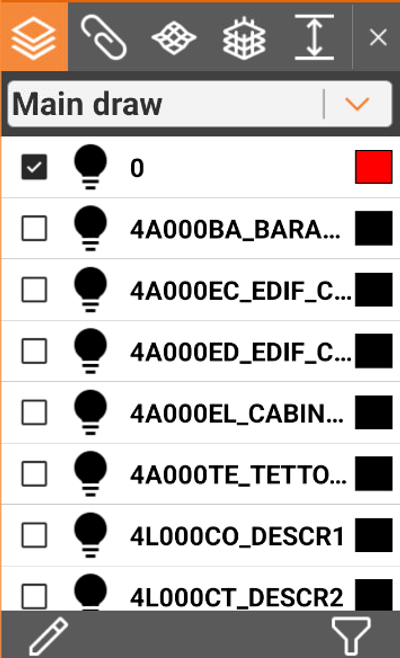
This opens a new panel.
-
Layer
: access the layer management and graphical properties of drawing elements.
-
External reference
: access the external reference management.
-
Surfaces
: access the management of display and properties of the surfaces.
-
BIM surface
: access the management of the display of the entities present in the files type IFC.
-
Cut planes
: allows to define a range of elevations that has to be visible; everything else outside the defined range is not visible.
-